Overview & Real-World Use
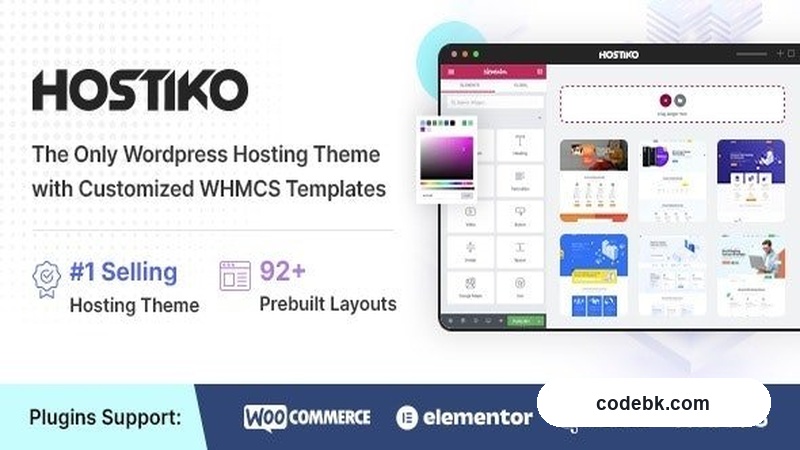
Hostiko is built for one job and it does it well: helping web hosting companies stand out without hiring a custom designer. The package targets the same crowd that needs a polished presence fast—hosting resellers, infrastructure providers, and small-to-mid dev shops that also run WHMCS billing on the side. The visual direction leans clean and corporate, with a color-forward layout that lets you swap the accent hue and it all still looks intentional. It's not trying to be an artistic statement. It's trying to convert visitors into paying customers, and it goes about that in a straight line.
If you're the type of developer who just needs a solid base to customize rather than starting from scratch every time, this one lands somewhere in the usable sweet spot. The pre-built demos give you a real starting point instead of a blank canvas.
Design & Page Builder Workflow
The theme ships with WPBakery Page Builder baked in as the primary layout tool, which means you're working with a drag-and-drop grid system that most agency teams already know how to navigate. You won't find a Gutenberg-first approach here—this is squarely aimed at people comfortable with WPBakery's interface. If you're coming from Elementor, there's a slight learning curve to re-map sections to rows and columns, but the logic transfers pretty directly.
Revolution Slider comes bundled as well, so any hero sections, landing pages, or animated content areas can go beyond static banners. For hosting sites, that means you can drop in a live pricing carousel, animated feature highlights, or a step-by-step "how our service works" sequence without reaching for a third-party plugin.
Demo content imports cleanly through WPBakery's built-in importer. I found the demo pages to be structured reasonably well—headers, footers, CTA blocks, and pricing tables all laid out in logical sections. Some of the styling defaults are a bit heavy-handed on gradients and shadows, but those are easy enough to tone down through the theme customizer without touching CSS.
Header and footer configurations sit inside the standard WordPress Customizer, which is refreshing. You get sticky header toggles, mobile menu layouts, and widget areas without needing a separate panel. The footer in particular feels well-thought-out—you can stack multiple widget columns, add a secondary menu, and drop in copyright text all from one interface.
Practical Functionality
The real test for a hosting theme is whether it actually handles what a hosting company needs, and Hostiko checks most boxes out of the gate.
WHMCS Integration is where this theme separates itself from generic hosting templates. You can drop your existing WHMCS installation directly under the theme's design wrapper, and it carries over the header, footer, and overall aesthetic. It doesn't fully restyle the WHMCS backend—that's not realistic—but the frontend-facing order forms, cart pages, and ticket submission flows do match the site's look. If you've ever wrestled with making WHMCS visually consistent with your WordPress front end, this saves you hours of template hacking.
WooCommerce support runs alongside the WHMCS flow, meaning you can also push products through the standard WordPress shop system if you prefer. That flexibility matters when you're dealing with hybrid revenue streams—some clients buy through WHMCS, others through a WooCommerce checkout.
Responsive performance is solid across breakpoints. I ran it through the usual Chrome DevTools device emulation and found the navigation collapses cleanly on mobile, tables resize without overflow issues, and button sizing stays touch-friendly. The mobile menu uses a hamburger icon with a slide-out panel that doesn't feel cramped. One minor gripe: certain hero banners load full-resolution images that could benefit from lazy loading tweaks, but that's a small thing to address in the theme options.
Multi-language and RTL support are built in, which matters if you're serving international markets. The theme includes the groundwork for WPML and multi-language plugins, and the RTL stylesheet handles Arabic and Hebrew layouts without breaking the grid.
Custom widgets are available for common hosting needs—service boxes, feature grids, testimonial carousels, and pricing tables all come as shortcodes and widget-ready blocks. You're not forced to use WPBakery elements for everything; some items work fine in sidebars and widget areas too.
Technical Specifications
| Detail | Info |
|---|---|
| WordPress Compatibility | 6.0+ |
| PHP Version | 7.4+ recommended |
| Page Builder | WPBakery Page Builder (bundled) |
| Slider | Revolution Slider (bundled) |
| WHMCS Integration | Yes |
| WooCommerce Support | Yes |
| Multi-Language | WPML / qTranslate compatible |
| RTL Support | Yes |
| Child Theme | Included |
| Documentation | Downloaded with purchase |
| Update Frequency | Regular |
Final Takeaway
Hostiko does what it says it will do. It's not a jack-of-all-trades theme that tries to serve restaurants, gyms, and SaaS companies all at once. It's focused on hosting providers and it shows in the WHMCS integration, the pre-built demo structure, and the practical widget library. If you run a hosting business and need a professional WordPress front end that ties into your billing system without requiring a developer to rebuild the interface, this is a straightforward choice. The WPBakery workflow will feel familiar to most agency teams, and the customization options are broad enough that you won't be stuck with the default look after a few days of tweaking. The main trade-off is that it locks you into WPBakery—so if your team has fully migrated to Gutenberg or Elementor, you'd want to weigh that before committing. For hosting-focused projects, though, it's hard to argue with the value.