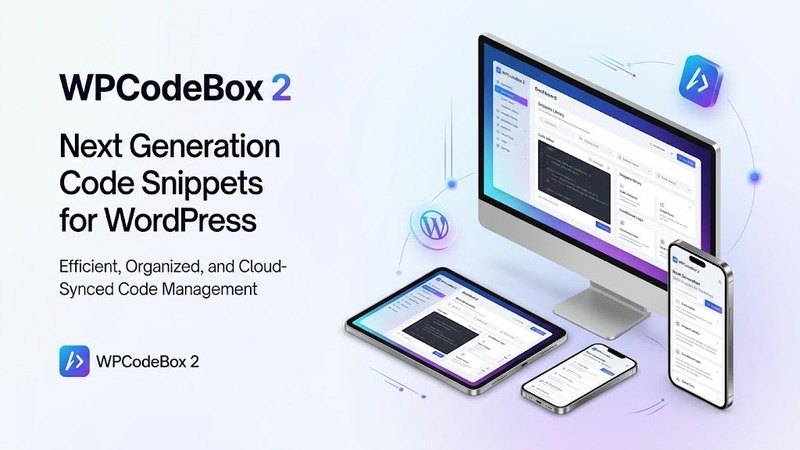
Overview & Real-World Use
I've been managing code snippets across dozens of client WordPress installs for years, and the workflow is almost always the same messy loop: copy a function here, forget to back it up there, chase down which site needs which filter, and pray nothing breaks when you paste it into functions.php by hand. That's exactly the problem WPCodeBox 2 solves, and it does it without any of the bloat you'd expect from a snippet manager.
WPCodeBox 2 lets you store every snippet you write — or grab from the built-in repository — right up in the cloud, then deploy it across any WordPress site you're working on. Think of it like a personal library of tested functions, filters, CSS tweaks, and JavaScript helpers that follows you from project to project. No more searching through old backups or recreating the same snippet three times because you lost the original.
It's aimed squarely at agency owners, freelance WordPress developers, and anyone who maintains multiple sites and wants a clean, centralized way to manage their code library without touching the dashboard of every single install.
Cloud-Based Snippet Management
The heart of WPCodeBox 2 is the cloud sync feature. Once you create an account on their platform, every snippet you save gets pushed up and tagged with metadata — snippet name, type (PHP, JS, CSS, HTML, etc.), description, and tags for easy filtering. When you're working on a new site, you log into the WordPress admin, pull up WPCodeBox, and your entire library is right there. No file exports, no CSVs, no "does this Gist still exist somewhere?"
What's particularly useful is that you can mark snippets as reusable across sites or set them as private, so you're not accidentally deploying a client-specific hack on a fresh install. It's a small detail, but one that saves headaches down the line.
The Code Snippet Repository
If you don't have your own snippets handy yet, the built-in repository is a solid starting point. It's a curated collection of tested, ready-to-drop code snippets covering everything from common WordPress tweaks and performance optimizations to WooCommerce customizations and SEO adjustments. Each entry in the repo comes with a brief description so you know what it does before you pull it into your site.
I found several snippets in there that I'd written myself or found scattered across forums over the years — only this time, they were already organized and easy to search. The quality varies depending on how recently the community has contributed, but the core set covers the most common use cases you'll run into.
Practical Functionality Walkthrough
Setting up WPCodeBox 2 is straightforward. You install the plugin from the WordPress dashboard, register or log in to your WPCodeBox account, and you're connected. From there, the interface lives in a clean admin panel where you can add snippets manually, import from existing files, or browse the repository.
When you're ready to push a snippet to a site, you select it and choose the target install — or if you're on the same dashboard, you can activate it in one click. PHP snippets can be toggled on or off independently, so you never have to delete code just to disable it temporarily. That matters more than you'd think when you're debugging and need to revert quickly.
The snippet editor itself is basic but functional. It has syntax highlighting for the major languages, a character and line count, and a simple save-and-deploy flow. You won't find a full IDE experience here, and that's intentional — this plugin isn't trying to replace VS Code. It's trying to be the bridge between your local development environment and whatever WordPress install needs the code right now.
One thing worth noting: the cloud sync isn't instant in every case. If you're managing snippets across several sites simultaneously, you might see a brief delay between when you save a snippet and when it appears in another dashboard. It's usually only a matter of seconds, but it's something to keep in mind if you're pushing rapid changes during a troubleshooting session.
Technical Specifications
| Detail | Information |
|---|---|
| Version | 2 v1.4.1 |
| License | WordPress Plugin (GPLv2+) |
| PHP Version Required | 7.0 or higher |
| WordPress Compatibility | 5.0+ (tested up to latest) |
| Category | Code Snippets Manager |
| Cloud Sync | Yes (WPCodeBox account required) |
| Code Types Supported | PHP, JavaScript, CSS, HTML, Custom |
| Repository Access | Yes, built-in curated snippet library |
| Documentation | Available via WPCodeBox website |
Final Takeaway
WPCodeBox 2 v1.4.1 is a no-nonsense tool for developers who are tired of repeating the same work across WordPress installs. The cloud library concept is exactly what the WordPress development workflow needed — and the execution is clean without being over-engineered. It won't win any design awards, and it doesn't need to. It does one job and does it well: keeping your snippets organized, backed up, and deployable wherever you go.
If you manage even a handful of WordPress sites, download it. If you're a solo dev working on one site at a time, it's still worth having around for the snippet repository alone.