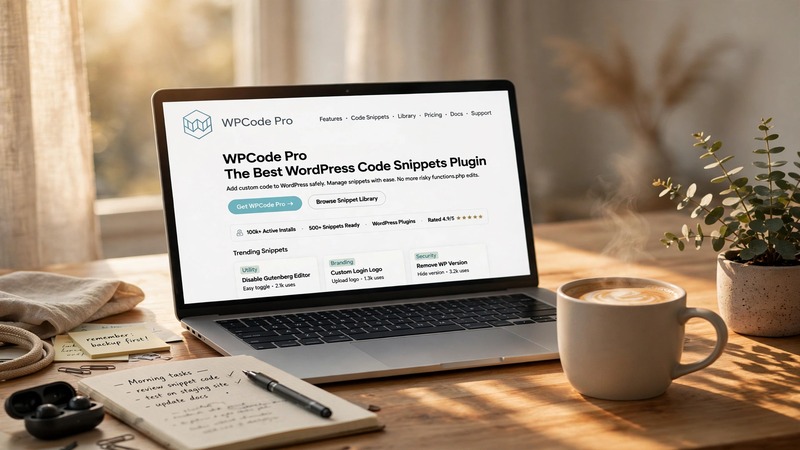
Overview & Real-World Use
I've been working with WordPress long enough to know that most sites are running about three times more plugins than they actually need. That's exactly the problem WPCode solves—and it's why I started recommending it to clients about two years ago.
WPCode (originally launched as Insert Headers and Footers by WPBeginner) has grown into one of the most-trusted snippet managers in the WordPress ecosystem, now powering over a million active installations. The core idea is straightforward: instead of dropping a new plugin for every tiny piece of custom functionality—a Google Analytics script here, a custom PHP function there, a conditional redirect over there—you drop the code directly through WPCode's interface and call it done.
It's particularly useful for agencies and freelancers who build dozens of sites. I keep WPCode Pro on every client installation because it eliminates the tedious back-and-forth of editing functions.php files, which breaks on theme updates and creates debugging headaches down the road. The Pro version expands that foundation with conditional logic, role-based access, import/export, and priority controls—features that matter when you're managing multiple projects simultaneously.
Design & Page Builder Workflow
The admin interface looks like something a developer would actually enjoy using. Clean, no-nonsense layout with a sidebar navigation that groups snippets by type—PHP, JavaScript, HTML, CSS—so you're not scrolling through a wall of toggles looking for the one you just added.
Creating a new snippet takes about thirty seconds. You give it a name, paste your code, pick the insertion type, and set your conditions if needed. The preview pane lets you verify your syntax before saving, which has saved me from deploying broken PHP on more than one occasion.
There's no page builder integration to speak of—that's not what WPCode is for. But it pairs cleanly with Elementor, Gutenberg, and any standard WordPress setup because it hooks into the appropriate actions and filters without conflict. I've used it alongside Elementor, Divi, and custom themes without a single compatibility issue.
The built-in snippet library for Pro users is genuinely handy. If you frequently add the same tracking pixels, cookie consent banners, or redirect rules across sites, you can save those snippets and import them into new installs with one click. It's the kind of time-saver that adds up quickly.
Practical Functionality
The conditional logic alone makes WPCode Pro worth the upgrade. I regularly deploy snippets that should only run on specific pages, posts, or under certain user roles. For example, a client requested a custom CSS injection that only appeared on their booking confirmation pages—not everywhere. With WPCode's conditions, I set it to fire only when the page URL contained /confirmation/ and never touched a template file. Done.
Role-based access control is another Pro feature I use constantly. Junior developers on a team can be given permission to add frontend JavaScript snippets without touching PHP or admin-level functions. It keeps things organized and prevents accidents.
The snippet priority system matters more than you'd expect. When multiple snippets hook into the same action, the order they fire determines the output. WPCode Pro lets you assign a priority number to each snippet, giving you full control over execution order. I've resolved several "why isn't this working?" support tickets simply by adjusting priorities.
Import and export functionality works smoothly. I keep a backup of my standard snippets in a JSON file, and when I spin up a new site, everything restores in seconds. No more retyping Google Analytics IDs, schema markup, or custom widget registrations.
On the performance side, WPCode doesn't bloat your site. It's lightweight by design—no heavy database queries, no scheduled cron jobs running in the background. The code you add runs only when needed, and only on the pages where your conditions apply. That's efficient.
Technical Specifications
| Specification | Details |
|---|---|
| PHP Version | 7.4+ (recommended 8.0+) |
| WordPress Compatibility | 5.0+ |
| Last Updated | October 2026 |
| Active Installations | 1,000,000+ |
| Required Plugins | None |
| Bundled Plugins | None (standalone) |
| Documentation | Built-in + online knowledge base |
| Licensing | One-site license available; multi-site options in Pro |
Final Takeaway
WPCode Pro v2.4.0 isn't flashy. It won't win design awards or come with fifty pre-built demos. But it does exactly what it promises—and it does it reliably.
If you're a developer, agency owner, or serious site builder who's tired of installing seven different plugins to handle snippets, headers, footers, and custom PHP, this is the tool you want in your toolkit. It consolidates all of that into a single, well-maintained plugin with a clean interface and genuinely useful Pro features like conditional logic and role-based permissions.
I keep it installed on every WordPress project I touch. It's one of those plugins that quietly becomes indispensable—you don't notice it until it's gone, and by then you'll never want it missing again.