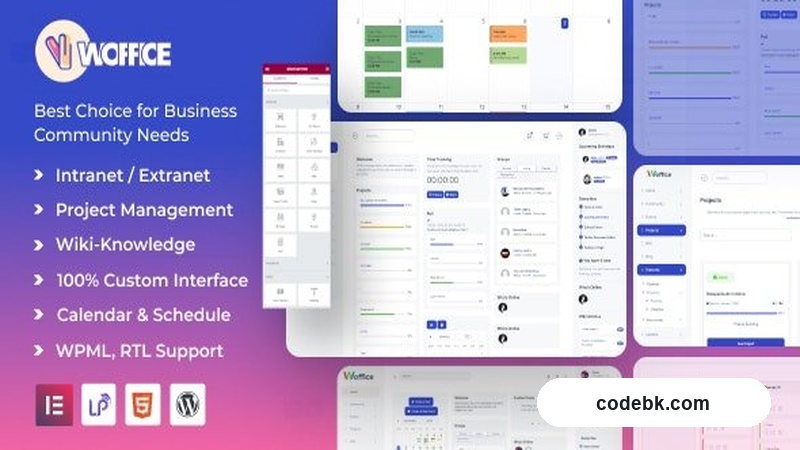
I’ve spun up a handful of internal portals and client-facing member areas over the years, and Woffice v5.4.40 is one of those packages that actually respects how you work. It’s a multipurpose intranet/extranet theme built for organizations that need a clean, professional space for staff, partners, or customers—and it does that without turning your site into a chore to manage. The design is straight out of Google’s Material Design playbook, which means predictable spacing, clear typography, and an interface that doesn’t fight you every time you click somewhere.
What It Actually Fits
You’re looking at Woffice if you run a small-to-mid sized business, an educational department, a freelance collective, or any group that needs a private dashboard, shared resource hub, or partner portal. The theme leans heavily on organization and clarity—so if your project is more about collaboration, document sharing, and internal communication than flashy marketing, this one sits comfortably in that lane.
How the Builder and Layouts Feel in Practice
Woffice plays well with Elementor, and that’s where most of the flexibility lives. The pre-built demo templates cover a wide range of use cases: staff directories, team dashboards, knowledge bases, event calendars, and even basic e-commerce setups through WooCommerce. Installing a demo takes a few clicks, and then you’re usually tweaking colors, swapping logos, and adjusting copy rather than rebuilding the whole layout from scratch.
For developers who prefer Gutenberg, native block support is there too. You’re not locked into a single page builder ecosystem. The header and footer customizers are straightforward—no arcane shortcodes, just visual controls for logos, menus, CTAs, and social links. Mobile performance holds up: layouts compress cleanly, navigation collapses predictably, and nothing feels like a stretched mess on smaller screens.
The Features That Actually Matter Day to Day
Here’s what you’ll find yourself using regularly:
- WooCommerce integration for internal shops, partner storefronts, or membership-based product sales. Setup isn’t hand-holdy, but once configured, it behaves like any standard WooCommerce store with the theme’s styling applied.
- User role and permission controls that let you separate staff, managers, partners, and public users. If you’ve ever tried to bolt on access restrictions with third-party plugins, you’ll appreciate that Woffice has some of this baked in.
- Multi-language support through WPML and Polylang, which matters a lot if your intranet serves teams across regions or languages.
- Event and calendar modules for internal scheduling, training sessions, or company-wide announcements. Not the most advanced calendar plugin you’ll ever see, but functional enough for most team needs.
- Document management and resource libraries that keep files organized and accessible without requiring a separate file-sharing service.
- Responsive design that doesn’t compromise usability—menus collapse intuitively, tables reflow, and forms stay usable on tablets and phones.
Customization happens mostly through the WordPress Customizer and Elementor’s drag-and-drop interface. That means you can adjust global colors, fonts, and layout spacing without touching CSS, though developers will find hooks and filter points if they need to go deeper.
Technical Snapshot
| Spec | Details |
|---|---|
| PHP Version | 7.4+ recommended |
| WordPress Version | 5.8+ compatible |
| Primary Builder | Elementor Pro (recommended) |
| Secondary Builder | Gutenberg block support |
| Required Plugins | Elementor, Woffice Core (bundled) |
| Optional Plugins | WooCommerce, WPML/Polylang, Contact Form 7 |
| Documentation | Included via theme folder + online knowledge base |
| License | GPL v2 (typical WordPress theme licensing) |
Who Should Install This
Woffice v5.4.40 fits teams that want a professional intranet or extranet without spending months building it from scratch. It’s not the flashiest theme on the market, and it’s not trying to be—a marketing-heavy SaaS landing page theme might serve that crowd better. But if you need a clean, role-aware, document-friendly workspace that looks decent on day one and still allows granular tweaks, this package delivers.
Install it if you run a small business, a nonprofit, an educational unit, or any organization that needs a private portal with reliable builder support and sensible defaults. Skip it if you’re building a high-traffic public magazine or a boutique portfolio site—that’s not where this theme shines.