Overview & Real-World Use
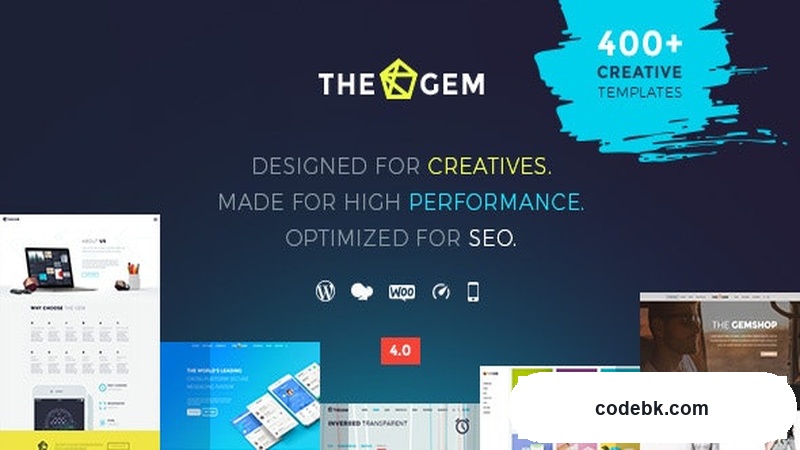
I've been working with WordPress themes long enough to know when something feels genuinely well-built versus just flashy on the surface. TheGem has been on my radar for a while now, and the latest 5.12.3 release keeps it competitive in a space where new themes drop every other week.
TheGem positions itself as a multi-purpose theme, which is code for "it can handle almost anything." Agency sites, portfolios, e-commerce shops, blogs, corporate pages—you name it. The design language leans modern and creative, with plenty of breathing room and bold typography choices that don't feel derivative. For web designers and agency owners who need to ship polished sites fast without reinventing the wheel, this one makes sense.
What stands out right away is the sheer volume of pre-built demos. We're talking 600+ starter sites across niches, which means you're not starting from scratch even if you don't have a client brief ready to go. You pick, install, customize. Done.
Design & Page Builder Workflow
TheGem works primarily with Elementor, and that's not a compromise—it's a deliberate choice that pays off. Elementor's visual editor pairs well with TheGem's option framework, and the theme registers its own custom widgets and controls directly inside the builder. That means you get things like advanced slider options, animated counters, pricing tables, and portfolio grids without leaving the Elementor canvas.
For Gutenberg purists, TheGem also supports the block editor. It won't match the depth of the Elementor experience, but it's functional if you'd rather keep things lightweight or work within WordPress's native workflow.
Pre-built demos install in one click through the built-in demo importer. Once imported, you're working with a fully structured layout—not placeholder junk. From there, you swap content, adjust colors through the Theme Options panel, and you've got a production-ready site. I've used this workflow on client projects and it consistently cuts setup time by half compared to building from a blank slate.
The design system behind the demos is coherent. Fonts pair well together, color palettes are intentional, and spacing feels considered rather than accidental. That's harder to pull off at scale, and it says something about how this theme is maintained.
Practical Functionality
WooCommerce Integration If you're running a shop, TheGem includes WooCommerce-compatible templates and styling out of the box. Product pages, cart, checkout—all customized to match the demo's aesthetic without needing extra plugins or CSS overrides. The product grid layouts are particularly clean, with hover effects and quick-view options that feel polished.
Header & Footer Builder The built-in header and footer customizer is one of those features you take for granted until you hit a theme that handles it poorly. TheGem lets you design multiple header variations, set them conditionally by page or post type, and stack elements like logos, navigation, CTAs, and social icons without touching code. Same goes for footers. This matters more than it sounds when you're managing client sites with different requirements across sections.
Responsive Performance Mobile behavior is solid across the demos I tested. No layout collapses, no oversized tap targets, no text that refuses to reflow. Images lazy-load by default, and the theme keeps JavaScript footprint reasonable for what it offers. That said, like any theme packed with features, performance comes down to how you use it. Heavy sliders and excessive animations will slow things down—standard WordPress stuff.
Multi-Language Ready TheGem plays nice with WPML and TranslatePress, which covers most multilingual needs. If your client operates in multiple regions, getting language switches into the header is a few clicks away rather than a development task.
SEO & Schema Clean markup, proper heading hierarchy, and schema markup options built in. Nothing groundbreaking, but it removes a common headache where themes spit out invalid structured data and break your rich results.
Technical Specifications
| Detail | Information |
|---|---|
| Current Version | 5.12.3 |
| WordPress Compatibility | 5.0+ |
| PHP Version | 7.0+ |
| Primary Page Builder | Elementor |
| Secondary Builder Support | Gutenberg (Block Editor) |
| Bundled Plugins | Essential Grid, Revolution Slider, TheGem Core |
| WooCommerce | Yes, built-in compatibility |
| Multi-Language | WPML & TranslatePress ready |
| Documentation | Available via author support portal |
Final Takeaway
TheGem isn't trying to be the lightest theme on the market, and it's not pretending to be. What it is, honestly, is one of the most complete multi-purpose options available if you need variety without maintaining a custom framework. The demo library alone justifies the price for most agencies—it's effectively a content kit you can resell into finished projects.
It's worth noting that the feature density means you should spend some time in the options panel before you start building. Everything works, but the sheer number of settings can feel overwhelming on day one. A quick walkthrough of the documentation gets you past that hurdle fast.
If you're a freelancer or agency that needs to deliver diverse, high-quality sites quickly, TheGem 5.12.3 is a solid investment. If you're building a simple blog and don't want to manage a heavy theme, look elsewhere.