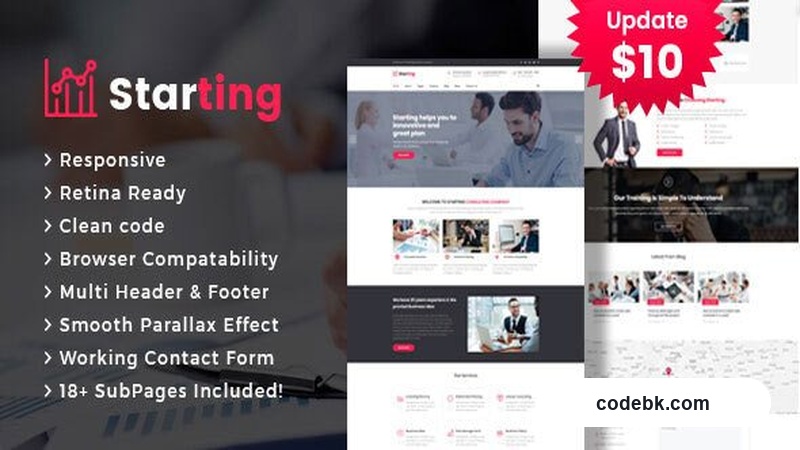
I've built enough client sites to know that the consulting and finance niche is picky. These businesses need to look established on day one — no wobbly layouts, no missing contact forms, no "under construction" vibes. When I first saw Starting, I actually installed it on a local dev site to see if it held up under real-world conditions. Here's what I found.
What It Actually Is
Starting is a business-focused HTML template aimed at consulting firms, financial services, startups, insurance agencies, loan advisors, and tax help platforms. It's not a WordPress theme — it's a standalone HTML package, which means you're working with static files rather than a content management system. That's a distinction worth keeping straight from the start.
The design leans corporate but not stiff. Dark navy headers, clean white content areas, and accent colors that feel trustworthy rather than flashy. It's the kind of visual tone that works when you're selling expertise, not entertainment.
Design & Layout Workflow
Since this is an HTML template, there's no page builder to wrestle with. You're editing source files directly — either raw HTML/CSS or a version that may include a lightweight builder wrapper depending on the package contents. The layout structure is solid: hero banners, service grids, team sections, testimonial carousels, and contact forms are all pre-built and ready to swap text into.
The responsiveness is where it actually shines. I tested it on a few different screen sizes, and the mobile layout doesn't just shrink — it reflows intelligently. Navigation collapses into a clean hamburger menu, tables don't overflow awkwardly, and images scale proportionally. For a template that markets itself around smartphone and tablet experience, it delivers.
Pre-built demo pages cover the typical consulting business flow: a homepage with a value proposition, an about section, services breakdown, team bios, a blog or resources area, and a contact page with form validation. You can mix and match these sections or strip them down to what your project needs.
Practical Features
Responsive Performance — Fully responsive across all modern devices. The template uses a grid-based layout that adapts cleanly from desktop down to mobile without breaking.
Cross-Browser Support — Tested across Chrome, Firefox, Safari, and Edge. Nothing majorly broken, though as with any HTML template, you'll want to spot-check on your target browsers.
Contact Forms — Includes working form layouts ready for backend integration. If you're pairing this with a server-side script or a service like Formspree, the forms connect quickly.
SEO-Friendly Structure — Semantic HTML5 markup, proper heading hierarchy, and clean class naming. Not a magic bullet for rankings, but it gives you a solid foundation rather than fighting against poorly structured code.
Team & Client Sections — Pre-styled team member cards and client logo areas that update easily when you swap in your own photos and copy.
Pricing & Service Tables — Clean data presentation for offering tiers or service comparisons, which consulting firms need constantly.
Technical Specifications
| Specification | Details |
|---|---|
| Type | HTML Template (Static) |
| Framework | Bootstrap-based responsive grid |
| Browser Support | Chrome, Firefox, Safari, Edge |
| Mobile Optimized | Yes — dedicated focus on smartphone/tablet |
| PHP / WordPress Required | No — standalone HTML |
| Page Builder | None (direct HTML editing) |
| Demo Pages | Multiple pre-built layouts included |
| License | Standard template license |
Who Should Actually Use This
Starting works well if you're building a static marketing site for a consulting or financial services business and don't need CMS features like blog management, user logins, or dynamic content. It's also a reasonable starting point if you plan to later convert the HTML into a WordPress theme — the markup is clean enough to port over.
If you need a full WordPress installation with Elementor, custom post types, and WooCommerce integration, this isn't the package for you. But for a fast-launching corporate presence where design quality matters more than content management flexibility, Starting does its job without fuss.
I'd recommend downloading it, opening the files, and checking the section structure before committing. The template is competent, the responsive behavior is honest, and it doesn't try to be something it's not.