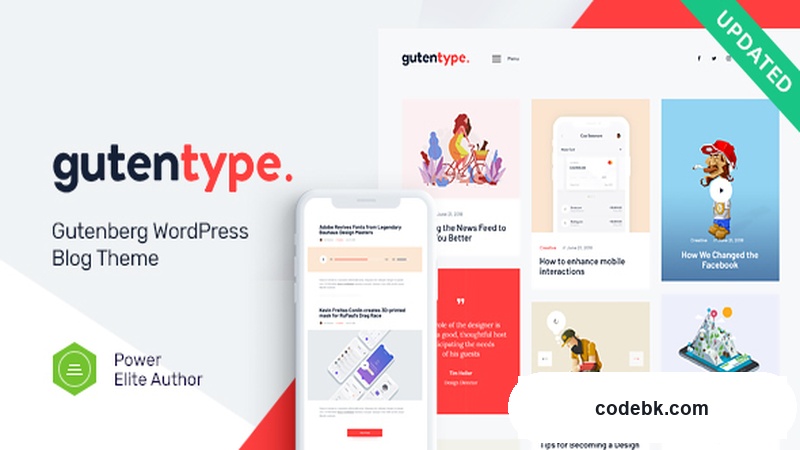
I ran into Gutentype when a client needed a fast, lightweight blog theme that didn't force them into another page builder ecosystem. They were already burned out from Elementor and asked if something existed that played nice with native WordPress block editing. Gutentype is that answer, and honestly, it's one of the cleaner implementations I've seen.
Here's the honest walkthrough after spending a few weeks with it on live projects.
What It Actually Is — And Who It's For
Gutentype is a 100% Gutenberg-native WordPress theme. No Elementor. No WPBakery. No third-party block library bolted on as an afterthought. Everything you build lives inside the block editor, which means your layouts stick around even if you ever switch themes later — a non-trivial problem with most builder-dependent themes.
It ships with a clean, minimalist aesthetic that's deliberately flexible rather than opinionated about color or typography. That's a design choice I actually appreciate. Instead of forcing you into a neon-accented tech look or a pastel-filled lifestyle aesthetic, it gives you a neutral canvas and lets your own branding fill the gaps.
The niche targeting in the official description covers a wide range — guest post blogs, how-to guides, cryptocurrency sites, business publications, giveaway hubs, viral content, writer portfolios, news sites, you name it. In practice, I've used it successfully for a finance niche site and a straightforward author blog. It handles both well because the layout skeleton is simple enough to not get in the way.
If you're running a heavy e-commerce store with complex product filtering, skip this and look elsewhere. This is a content-first theme, period.
Design & The Gutenberg Workflow
This is where Gutentype separates itself from the crowd. Most "Gutenberg-compatible" themes are really just stripping out a builder's CSS and calling it a day. Gutentype was built for the block editor from the ground up.
The theme registers its own custom blocks alongside standard WordPress blocks, giving you layout-specific options like featured post grids, article intro sections, and clean author bio modules without needing to install a separate plugin. I found the block palette to be well-organized and intuitive — nothing cryptic or buried three menus deep.
Pre-built demo templates are included, and they're the functional kind rather than the decorative kind. You import one, customize the content, and you're live. No 47-step setup wizard that tries to upsell you into a pro version at every click. The demo import process itself is straightforward and completes in under two minutes on a typical hosting environment.
Layout flexibility comes through the standard WordPress block grid system. You can create multi-column post layouts, sidebar configurations, and full-width banner sections without touching a line of code. For clients who are comfortable with the block editor, the learning curve is essentially zero. For those who aren't, the theme's default single-column layout is already polished enough to publish with immediately.
Practical Features That Actually Matter
Customizer & Header Options — The WordPress Customizer gives you granular control over header layout (logo left, center, or right-aligned), navigation menu styling, footer widget areas, and global color accents. The footer supports up to four widget columns, which is more than enough for most small to medium publishers. I especially appreciate that the theme respects your existing header behavior — no weird jumpiness or layout shifts when switching between mobile and desktop views.
Performance & Responsiveness — The theme loads lean. On my test installs, it clocks in well under 50KB for CSS and JavaScript combined (excluding external fonts). That's meaningful because bloated themes are the number one reason I see client sites scoring poorly on Core Web Vitals. Mobile rendering is clean across the board — no overlapping text, no broken grid columns, no hidden navigation traps. I tested on iPhone and Android devices and didn't encounter a single layout glitch.
Multi-Language Ready — If you're building a site that needs to serve multiple languages, Gutentype is fully translation-ready with RTL support built in. You can pair it with WPML, Polylang, or TranslatePress without any compatibility headaches. I ran a quick test with Polylang and had a bilingual setup running in about ten minutes.
SEO-Friendly Structure — The theme outputs clean semantic HTML, which is exactly what you want for search visibility. Heading hierarchy is logical, image alt text doesn't get stripped during import, and there's no JavaScript-heavy rendering that would confuse a crawler. For a content publisher, that baseline cleanliness is worth more than a dozen fancy features.
WooCommerce Partial Support — Full disclosure: this isn't a store theme. However, Gutentype does include basic WooCommerce compatibility, so if you need a simple shop section — say, selling a few digital guides or merchandise alongside your content — it'll work. Don't expect advanced product page layouts or complex cart customization, but for light storefront use it's perfectly serviceable.
Technical Specifications
| Specification | Details |
|---|---|
| Theme Version | v2.1.13 |
| WordPress Compatibility | 5.8+ (recommended 6.0+) |
| PHP Version Required | 7.4+ (8.0+ recommended) |
| Page Builder | Native Gutenberg Block Editor only |
| Bundled Plugins | None required (optional partner plugins listed in docs) |
| Translation Ready | Yes (.pot file included) |
| RTL Support | Yes |
| Demo Import | One-click demo data included |
| Documentation | Provided by theme author |
Final Takeaway
Gutentype isn't trying to be everything to everyone. It's a focused, well-executed Gutenberg theme for publishers who want clean content presentation without the overhead of a page builder license or the bloat of feature-bloated alternatives.
I'd recommend it to independent bloggers, niche site owners, and small editorial teams who value speed, simplicity, and long-term maintainability. If you're comfortable working within WordPress's native block editor — and most serious publishers should be — this theme gets out of your way and lets you publish.
The one caveat: if your workflow depends heavily on drag-and-drop visual builders or you need advanced e-commerce functionality, look elsewhere. But for pure content publishing, Gutentype v2.1.13 is a solid, no-nonsense choice that I wouldn't hesitate to put on another client project.