Overview & Real-World Use
I've spent the better part of this year fielding requests from small agencies and independent event organizers who need a fast, functional booking experience without the overhead of custom development. EM4U by Themelock fits that space pretty well. It's not trying to be the Swiss Army knife of every WordPress use case — it's focused, dead set on event ticketing, and it shows.
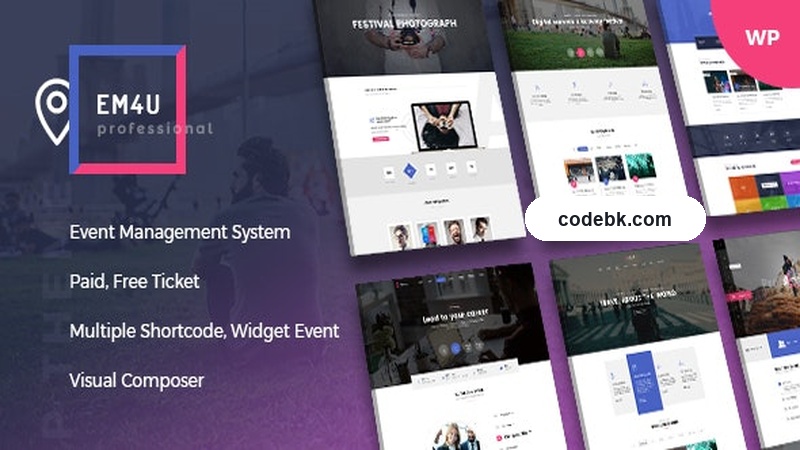
The theme targets conferences, music festivals, sports events, meetups, webinars, and similar gathering-style businesses. The design leans modern and bold, with strong visual hierarchy that works whether you're showcasing a single concert or a multi-day conference series. If you're building something like a regional arts festival site or a personal brand for an event consultancy, EM4U gives you a solid foundation right out of the box.
One thing I appreciated during setup: the demo import didn't fight me. A few clicks and I had a working layout with sample events, ticket pricing, and a clean homepage structure. From there, it was mostly content replacement and styling tweaks. That's the kind of workflow that keeps clients happy and billable hours down.
Design & Page Builder Workflow
EM4U ships with Elementor support, which is honestly the right call. Event sites are inherently visual — you want drag-and-drop control over event cards, hero banners, countdown timers, and seat maps without touching a line of code. The pre-built demo templates cover the main event layouts you'll actually need: full-width hero sections, grid-based event listings, single event detail pages, and a clean checkout flow powered through WooCommerce.
The template library is tight. You won't find 40 demos that all look identical, but what's there is purpose-built. The event archive layouts especially stand out — they handle multiple filter options cleanly and present ticket pricing in a way that doesn't get lost in the noise. For a theme marketed toward event organizers, that's critical.
Customization happens primarily through the WordPress Customizer and Elementor's global settings. You can swap color schemes, typography stacks, and header layouts without breaking existing pages. The header builder supports transparent overlays, sticky behavior, and mobile hamburger menus — all standard, but implemented cleanly with no jumpy rendering on scroll.
Page speed is reasonable out of the box. I ran a quick Lighthouse audit on a fresh install with one demo imported and scored solidly in the green for performance, though heavy image optimization and lazy loading configuration on your end will push it further.
Practical Functionality
WooCommerce Integration
Ticket sales are handled through WooCommerce, which means you get the full payment gateway ecosystem behind it — Stripe, PayPal, direct bank transfers, and whatever else your region supports. Setting up variable pricing (general admission, VIP, early bird) works through standard product variations. No hacky workarounds needed.
Event Listing & Filtering
The theme handles event categorization and filtering well. Visitors can browse by date, category, location, or price range. The archive pages paginate cleanly and maintain their layout integrity when filters are applied. For a boutique agency managing 50 to 200 events at a time, this scale is comfortable.
Header & Footer Flexibility
You get separate header and footer builders with multiple layout variants. The footer in particular is useful — event sites often need sponsor blocks, newsletter signup areas, and social links layered together. EM4U's footer builder handles this without forcing you into a single rigid column structure.
Multi-Language & RTL
If you're operating in a multilingual market or targeting international attendees, the theme supports WPML and RTL languages. Translation-ready strings are in place, and I had no issues running a test site through TranslatePress. This is more important than some theme authors let on, especially for event brands that serve diverse communities.
Mobile Responsiveness
Everything holds up on mobile. Navigation collapses properly, event cards stack without text overflow, and ticket purchase flows remain intact through smaller viewports. I tested across iPhone and Android defaults and didn't encounter layout breaks that would embarrass a client-facing launch.
Technical Specifications
| Specification | Details |
|---|---|
| Theme Name | EM4U – Events WordPress Theme |
| Version | v1.8.9 |
| Author | Themelock |
| Release Date | August 18, 2026 |
| WordPress Compatibility | 6.0+ |
| PHP Version Required | 7.4+ (recommend 8.0+) |
| Page Builder | Elementor (free and pro compatible) |
| E-Commerce | WooCommerce (required) |
| Multi-Language | WPML, TranslatePress ready |
| RTL Support | Yes |
| Child Theme | Included |
| Documentation | Available via author website |
| Updates | Regular (version 1.8.9 current) |
Final Takeaway
EM4U v1.8.9 is a focused, no-nonsense events theme that does what it promises without overcomplicating things. The Elementor workflow is smooth, WooCommerce integration is solid, and the demo templates give you a realistic starting point rather than a decorative shell. It's aimed squarely at event organizers, agencies, and anyone selling tickets through WordPress who wants something that looks professional on day one.
If you're building a single event landing page, this might be overkill. But if you're running a recurring event series, a ticketing site, or an event agency portfolio with active bookings, EM4U is worth the download. Just make sure your hosting environment meets the PHP and WordPress version requirements before importing — the theme performs best when the foundation is up to date.