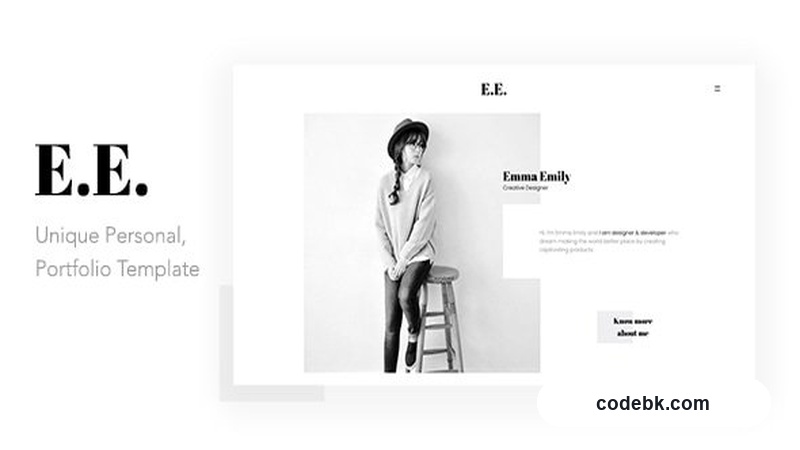
Overview & Real-World Use
I keep coming back to a simple rule: your portfolio template should get out of the way and let the work speak. E.E. was built around exactly that idea. It's a clean, image-forward HTML portfolio template aimed at freelancers, photographers, and creative agencies who need a fast, modern site without drowning in options or bloated code.
I pulled the template down, dropped it on a local server, and spent an afternoon swapping out placeholder images and copy. The result felt like a legitimate starting point — not something that needed five hours of surgery before it looked presentable. The design leans minimalist: generous white space, strong typography, and a focus on large hero imagery. It's the kind of layout you'd expect from a design studio's own website.
If you're a solo creative selling your services, or a small agency that needs a polished landing page in a day or two, this is the sort of template that fits without drawing attention to itself. It won't win awards for radical innovation, but it's solid, readable, and easy to customize.
Design & Page Builder Workflow
Here's the honest part: E.E. is an HTML template, not a WordPress theme with a live page builder. There's no Elementor or Gutenberg integration to talk about. What you get is well-organized HTML, CSS, and JavaScript files — the kind of project you edit directly in VS Code or whatever editor you prefer.
That's not a weakness; it's a different workflow. The structure is logical: index pages for each section (home, portfolio, about, contact), a consistent CSS variable system for colors and fonts, and a set of pre-built demo layouts you can mix and match. If you're comfortable editing HTML, you can swap colors, adjust spacing, and replace assets without ever touching a plugin.
The template includes multiple homepage variants and a couple of portfolio grid styles. Some demos lean toward a masonry layout for photographers; others use a cleaner card-based grid better suited for design agencies. Navigation is straightforward — sticky header, smooth scroll, and a mobile hamburger menu that actually works without feeling like an afterthought.
One thing I noticed: the template is lightweight by design. No jQuery bloat, no unnecessary scripts. That means faster load times and fewer things to break on update. If you're building something where performance matters — and for a portfolio, it always does — that's a genuine advantage.
Practical Functionality
Responsive behavior. This is where the template shows its real strength. I tested it across a range of devices — phone, tablet, desktop — and the layout held together cleanly. Images scaled properly, navigation collapsed without jumping, and nothing felt cramped or broken at any breakpoint. For a portfolio, that matters more than anything else.
Customization without the headache. The CSS uses a consistent set of variables near the top of the stylesheet. Change a few hex codes, update the font stacks, and the whole template shifts. I swapped the default blue accent to a warm terracotta and was done in ten minutes. Typography choices are thoughtful — a pairing that feels professional without trying too hard.
Portfolio display. The project showcase is the heart of this template, and it's handled well. Multiple layout options mean you can pick what suits your work style. If you're a photographer, the full-bleed image grid is striking. If you're a web designer, the case-study format with project details on the right gives you space to explain your process.
Contact integration. There's a working contact form setup, though you'll need to wire it to a backend service or a form handler like Formspree or Netlify Forms. The markup is clean and the validation is basic but functional. Nothing fancy, just something that works.
Multi-language ready. The template uses standard text strings that are easy to localize. If you're serving an international audience, translation is straightforward — just swap the strings or drop in a JSON/i18n file if your workflow supports it.
Technical Specifications
| Spec | Detail |
|---|---|
| Format | HTML5 / CSS3 / JavaScript |
| PHP Required | No (static HTML) |
| Browser Compatibility | Chrome, Firefox, Safari, Edge (latest 2 versions) |
| Responsive | Yes — mobile-first breakpoints |
| Pre-built Demos | 3+ homepage variants, portfolio grid options |
| Customization | CSS variables, modular SCSS/CSS |
| Fonts | Google Fonts (Open Sans / Poppins) |
| Icons | Built-in SVG icon set |
| Documentation | Included (setup guide + customization notes) |
| License | Standard template license |
Final Takeaway
E.E. isn't trying to be a do-everything solution. It's a focused portfolio template — clean, fast, and designed to highlight your work without distraction. If you're a freelancer or agency that values simplicity and speed over a mountain of features, this is worth downloading.
It won't replace a custom-built WordPress site if you need blogs, client logins, or complex content management. But for a portfolio that needs to look professional and load quickly, it's a reliable choice that won't age poorly in six months. I'd use it myself.