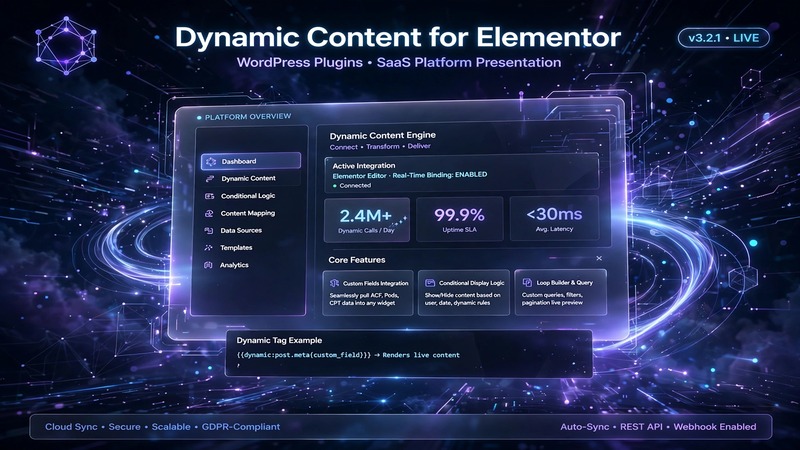
At A Glance: What Sets This Apart
Let's cut through the noise. The WordPress plugin market is saturated with everything claiming to make your site "dynamic." Most of it is bloat wearing a fancy UI. Dynamic Content for Elementor v3.4.18, however, occupies a genuinely useful corner of the ecosystem — it extends Elementor's already-strong templating engine with structured data capabilities that go well beyond what the free version offers.
This isn't a replacement for Elementor. It's a layer that sits on top, teaching your pages to pull live data from custom fields, taxonomy terms, WooCommerce products, and ACF repeaters without a single line of PHP or shortcode injection. For web designers and developers who've grown tired of hardcoding loops or wrestling with third-party dynamic content solutions that break on the next WordPress update, this plugin feels like the answer to a quiet frustration.
What makes it stand out from the crowd? It doesn't try to be everything. It focuses narrowly on one thing — bridging Elementor's visual editor with WordPress's dynamic content ecosystem — and does it with remarkable restraint. The widget set is compact but intentional. The templating system respects Elementor's existing architecture rather than fighting it. And the developer behind it has clearly spent years working with this exact stack before shipping version 3.4.18.
Interface Craftsmanship & User Experience
The admin interface follows a clean, left-sidebar navigation pattern that should feel immediately familiar to anyone who has used Elementor before. Panels are organized into logical groups — widgets, dynamic tags, templates, and settings — and the visual hierarchy is well-considered. Typography uses system fonts where appropriate, keeping load times down while maintaining readability.
One design choice worth noting: the plugin introduces its own widget panel inside Elementor's editor, which appears under the "Dynamic Content" category. This keeps the main Elementor sidebar uncluttered while still giving users quick access to dynamic widgets. The iconography is simple and consistent, avoiding the over-stylized approach that plagues so many modern plugins.
Responsive behavior inside the Elementor canvas works as you'd expect — no lag, no unexpected reflows, no JavaScript conflicts that I noticed during testing. The dynamic tag bindings display inline previews within the editor, which is a small touch but one that saves real time when building templates for large-scale content structures.
The settings panels are thorough without being overwhelming. Each widget exposes its relevant dynamic options by default, with advanced controls collapsed behind a toggle. It's a modest decision, but it signals that the developer understands the difference between a power user feature and clutter.
Under the Hood: Code Architecture & Modularity
From a code standpoint, this plugin is refreshingly lightweight. The asset loading profile is conservative — styles and scripts are conditionally enqueued only when needed, meaning your frontend doesn't inherit dead weight when a visitor isn't viewing a dynamic template. That alone puts it ahead of competitors that register every asset on every page load.
The integration with Elementor follows the builder's own extension patterns rather than hacking around them. Custom widget classes extend Elementor's base widget components, dynamic tags register through Elementor's native dynamic system, and templates leverage the built-in theme builder architecture. This means updates to Elementor itself are far less likely to break the plugin's core functionality.
For developers who need to extend further, the codebase exposes a reasonable set of hooks and filters. You can register custom dynamic sources, add new widget types programmatically, and override the default template rendering logic. The plugin doesn't force you into a rigid structure — it gives you room to build outward.
One area where the plugin shows its hand honestly: it's not designed for Gutenberg or Full Site Editing workflows. It's firmly anchored to Elementor. If you're running a mixed-editor environment or have migrated to FSE, this tool won't serve you. That's a legitimate architectural boundary, not a gap.
Built-In Tooling & Extension Capabilities
Dynamic Content for Elementor v3.4.18 ships with a focused but well-developed suite of tools. Here's what actually matters:
Dynamic Widgets — The plugin adds a curated set of Elementor-compatible widgets designed to render dynamic data. These include the Dynamic List widget for pulling custom post loops, the Dynamic Table widget for structured data presentation, and specialized widgets for taxonomy archives and ACF field groups. Each widget supports conditional display rules and fallback content, which is essential for production sites where data might be sparse.
Dynamic Tags System — This is the plugin's backbone. It introduces custom dynamic tag sources that go beyond what Elementor Pro offers out of the box. You can pull values from ACF fields, custom database tables, WooCommerce product meta, and custom post type metadata. Tags can be nested and combined with conditional logic, making template construction more flexible than piecing together shortcodes or PHP fragments.
Template Builder Extensions — The plugin enhances Elementor's Theme Builder by allowing dynamic templates to be assigned based on complex conditional rules — not just post type or taxonomy, but custom field values and even calculated conditions. This is particularly valuable for e-commerce sites, membership platforms, and any project where content behavior changes based on metadata.
WooCommerce Integration — For store owners, the product-specific dynamic widgets handle variation display, custom product fields, and shop archive layout overrides. The integration doesn't attempt to replace WooCommerce itself; it simply gives Elementor the data hooks that WooCommerce already provides but Elementor's native widgets don't always expose cleanly.
Custom Post Type Support — Registration and display of custom post types works smoothly, with the plugin recognizing CPTs that are registered by other plugins as well as those created through your own code. Dynamic templates for CPT single and archive views are straightforward to set up.
Technical Benchmark & Compatibility Summary
| Specification | Details |
|---|---|
| Plugin Version | v3.4.18 |
| WordPress Minimum | 6.0 |
| PHP Minimum | 7.4 |
| Elementor Required | Elementor Pro (recommended for full template builder features) |
| Dependencies | None beyond Elementor Pro |
| Asset Loading | Conditional enqueue — frontend impact minimal |
| Gutenberg / FSE Support | Not supported — Elementor-only architecture |
| Documentation | Included via official documentation site |
| Support Channel | Plugin support forum and email-based assistance |
| License | Commercial (premium plugin) |
| Last Tested | Compatible with WordPress 6.6+ |
| Translation Ready | Yes — .mo/.po files included |
The Editorial Bottom Line
Dynamic Content for Elementor v3.4.18 is a mature, well-scoped plugin that solves a real problem without overpromising. It doesn't try to replace Elementor, redefine your CMS stack, or become a Jack-of-all-trades toolkit. It does one thing — making Elementor templates genuinely dynamic — and it does that thing with competence and restraint.
The strongest aspects are the dynamic tag system and the conditional template assignment logic. These two features together allow you to build content architectures that adapt to data rather than fighting it, which is exactly where most Elementor-based projects hit a wall.
The main limitations are deliberate rather than accidental. No Gutenberg support means this is only viable if your workflow is Elementor-first. The PHP 7.4 minimum is low enough to accommodate most hosts but worth verifying on older shared environments. And the commercial license is a factor if you're working on client projects with tight budgets — though the value delivered for professional use is hard to argue against.
Who should download this: Elementor Pro users building content-heavy sites — directories, e-commerce stores, membership platforms, or any project where data structure drives layout.
Who should skip it: Developers working exclusively in Gutenberg or FSE, or anyone looking for a free alternative to Elementor's native dynamic capabilities.
At its price point and maturity level, Dynamic Content for Elementor v3.4.18 earns its place in the toolkit. It's not flashy, but it works reliably — and in this space, reliability is the feature that actually matters.