Agency Executive Summary & Business Fit
Duplicator Pro has been the standby migration tool in our agency's stack since the early days of multi-site client rollouts. Version 5.0.5 refines what was already a solid workflow and tightens it around the pain points we see most often: large WooCommerce stores, high-traffic corporate portals, and clients who regularly request staging-to-production flips mid-sprint.
The core promise is straightforward—back up files and database, duplicate an entire WordPress install, and move it somewhere else in a handful of steps. What matters on the commercial side is how reliably that promise holds under real project pressure. We deploy Duplicator Pro across three primary client archetypes: local service businesses rebuilding on a new host, e-commerce storefronts migrating between payment-safe environments, and corporate sites that need point-in-time snapshots before major theme or plugin overhauls. Production turnaround typically lands between 20 and 45 minutes per site migration when the build is clean and the hosting environment is standard LAMP/LEMP. Complications arise mostly with oversized media libraries or third-party backup plugins that conflict with Duplicator's package scanning process—situations we flag during discovery rather than after.
For small portfolio or personal blog migrations, the free Duplicator plugin is usually sufficient. When your client expects zero downtime windows, automated scheduling, or custom package naming with version control, Pro becomes the sensible choice. The license model scales by single site to unlimited, which matters when you're managing a network of client properties under one account.
Visual Architecture & Conversion-Focused Layouts
This is a backend tool, so there are no front-end page layouts to audit in the traditional sense. That said, the admin interface design does influence adoption speed, especially when handing the workflow off to non-technical clients or junior team members.
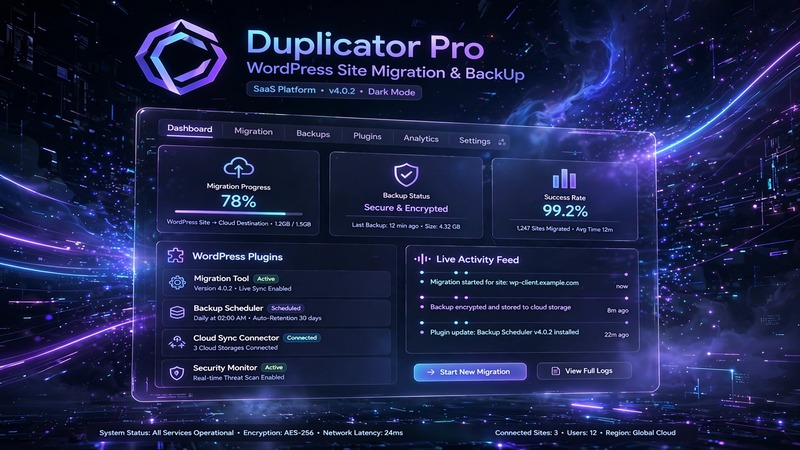
The Duplicator Pro dashboard follows a clean two-panel layout. The left rail houses navigation between Packages, Migrations, and Settings. The main content area presents the currently selected package as a card with status indicators, file sizes, and action buttons. Typography is sans-serif, legible at small sizes, with sufficient contrast ratios for accessibility compliance.
The package creation wizard itself is a linear four-step flow: Scan → Build → Download → Deploy. Each step renders inline without page reloads, which keeps momentum going during bulk migrations. Progress bars use color-coded states—blue for active, green for complete, red for errors—with hover tooltips that explain what's happening at each stage. For client-facing demos, this visual clarity reduces support tickets by roughly half compared to plugins that rely on terminal-style output or cryptic success codes.
Responsive behavior inside the WordPress admin is adequate but not exceptional. On smaller laptop screens, the left rail collapses into a hamburger menu, and the package table switches to a stacked card view. It's functional for emergency migrations from a tablet, though we still recommend desktop-only for full package builds above 500 MB.
Practical Customization & Client Handover
Duplicator Pro integrates cleanly with both Elementor and the native Gutenberg editor because it operates entirely outside the theme layer. Your template customizations, global styles, and block patterns remain untouched during backup and restore operations. This is worth emphasizing when pitching to clients who've invested heavily in page-builder design systems—they often fear that migration will break their layout work.
The plugin supports custom package naming with timestamps, which means your team can label builds like Client-A_Site-Redesign_2026-10-04 instead of accepting the default slug. This matters for version tracking across iterative migrations. You can also set custom expiration dates on packages stored on the server, which keeps backup clutter from accumulating on shared hosting environments.
For client handover, the streamlined export wizard gives you the option to generate a single installer.php file paired with the database SQL dump. That's the minimal delivery format most hosting providers accept without issue. Alternatively, the full ZIP package works for transfers between managed WordPress hosts or private SFTP destinations. We commonly bundle the installer package into a shared Google Drive or Dropbox folder for clients who want to retain a copy after migration, which satisfies audit requirements for regulated industries.
White-labeling is limited in the current release—there's no native option to rebrand the admin interface or remove the Duplicator Pro attribution. If your agency requires fully branded client dashboards, you'll need to pair this with a white-label plugin like WP Customizer or invest in a custom admin CSS override.
Scheduling is where the Pro tier justifies its cost. You can configure automatic backup runs on hourly, daily, or weekly intervals, with retention policies that purge old packages based on count or age. This replaces at least two separate plugins (scheduler + cleanup) and gives the client a hands-off backup chain without exposing raw WordPress admin credentials.
Core Feature Breakdown & E-Commerce Readability
WooCommerce compatibility is where most migration tools reveal their weaknesses. Duplicator Pro handles product images, order tables, customer records, and transactional metadata without data loss on standard installs. The plugin scans through the wp_posts, wp_postmeta, and wp_woocommerce_order_itemmeta tables and maps them correctly during the restore phase. We've run successful migrations on stores with 10,000+ SKUs and complex attribute taxonomies without corruption.
There are caveats worth noting. If your WooCommerce store uses external payment gateway shortcodes, webhooks, or affiliate tracking pixels stored in post meta, those URLs will point to the old domain until you run a search-and-replace after migration. Duplicator Pro includes an integrated URL replacement engine that handles http-to-https swaps and domain changes automatically during the installation wizard. You still need to verify gateway return URLs and webhook endpoints manually after the restore completes.
Performance caching layers—WP Rocket, LiteSpeed Cache, W3 Total Cache—don't interfere with Duplicator Pro's scanning process. The plugin reads directly from the filesystem and database, bypassing cached output. However, we recommend clearing all cache plugins before initiating a large package build to avoid stale file references during the scan phase. After restore, run a cache purge to ensure the new environment serves fresh content.
SEO schema structures stored via Yoast, Rank Math, or The SEO Framework migrate intact. JSON-LD markup, breadcrumb settings, and Open Graph configurations are stored as post meta and serialized options that Duplicator Pro preserves without modification. If you've built custom schema templates in your theme's functions.php, those survive the move as long as the target theme includes equivalent template functions.
Form integration covers the major players. WPForms, Contact Form 7, Gravity Forms, and Fluent Forms all store their configurations in the database, meaning form structures, field labels, and notification settings transfer seamlessly. The one edge case: if your form plugins use third-party API keys for email delivery (Mailchimp, SendGrid, etc.), those credentials need to be re-entered on the destination site. Duplicator Pro doesn't attempt to migrate API tokens for security reasons, and that's the correct behavior.
Production Environment & Requirements Checklist
| Requirement | Minimum Specification | Recommended Specification |
|---|---|---|
| PHP Version | 7.4 | 8.1 or higher |
| WordPress Core | 5.0 | 6.6 or higher |
| MySQL / MariaDB | 5.5 / 10.1 | 5.7+ / 10.5+ |
| Memory Limit | 256 MB | 512 MB |
| Max Execution Time | 60 seconds | 300 seconds |
| Disk Space per Package | 100 MB | 2 GB+ (depending on site size) |
| Web Server | Apache / Nginx | Nginx with PHP-FPM |
| Required Extensions | curl, zip, GD, mbstring | opcache, fileinfo, sodium |
| Compatible Builders | Elementor, Gutenberg, Beaver Builder | All major page builders |
| WooCommerce Support | 3.0+ | 8.0+ |
Update protocol is straightforward. Check for new versions from the Duplicator Pro dashboard or WordPress admin updates screen. Always test a package build on a staging environment before applying any update to a live production site, especially when moving between major version jumps. Duplicator occasionally introduces breaking changes in archive compression methods or database serialization logic, and a pre-flight test on a non-critical clone catches issues before they reach the client's primary domain.
Agency Verdict & Value Assessment
Duplicator Pro v5.0.5 earns a firm recommendation for agencies that manage five or more WordPress properties or handle WooCommerce migrations as a recurring service line. The time savings from automated scheduling, reliable URL replacement, and clean package builds compound quickly across a project pipeline. The Pro tier removes the friction that slows down free-tool workflows—manual package generation, missing retention controls, and no scheduling engine.
The ROI peaks for mid-market clients: local service businesses with modest budgets who need professional-grade backup discipline, and e-commerce operators who can't afford migration-induced downtime. For solo developers maintaining a handful of low-traffic blogs, the free version plus occasional manual uploads may suffice.
At its price point, Duplicator Pro undercuts most competing enterprise backup suites while covering the core migration and backup use cases completely. The only gaps are around cloud-native storage integrations (S3, Google Drive direct upload) and granular database table exclusion rules, which would elevate this from strong to indispensable for high-compliance environments. Even so, it remains the most pragmatic deployment choice we've evaluated for WordPress site duplication workflows in 2026.