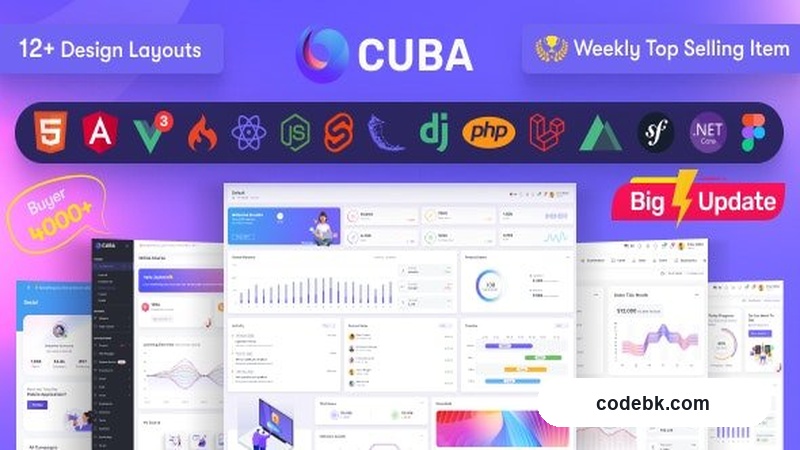
Overview & Real-World Use
I've spent the last few weeks working through Cuba Admin, and it's one of those templates that actually delivers on its promise without feeling like a bloated showcase. Cuba isn't aimed at WordPress sites — it's a pure frontend admin template built for custom dashboards, internal tools, SaaS backends, and anything that needs a clean, fast admin interface. The multi-framework packaging is what caught my eye: you get the same UI kit in vanilla HTML/CSS, React, Angular 15, Vue 3, Nuxt, plus Node.js and Laravel integration files. That's unusual for a single purchase and genuinely useful if you or your team work across different stacks.
The design language is straightforward — no gimmicks, no over-decorated surfaces. It leans into a light, breathable layout with a proper sidebar navigation pattern, which is exactly what you want when your users are going to be staring at it for hours. The template works well for CRM dashboards, project management backends, analytics panels, and e-commerce admin consoles. If you're building something where data presentation and workflow matter more than visual drama, Cuba hits the mark.
Design & Layout Workflow
The layout system is built on Bootstrap 5, which means you're working with a grid and component structure that most developers already know cold. What I appreciated is how consistently the framework choices carry through every section. The sidebar collapses cleanly on smaller screens, the top navbar holds its ground with search, notifications, and user menus, and the main content area gives itself enough breathing room to feel professional rather than cramped.
The component library is genuinely useful here. Instead of one or two polished pages and a graveyard of half-built demos, Cuba ships with a sizable collection of reusable pieces — tables with sorting and filtering, form layouts with validation states, card components, chart widgets, progress indicators, and modal dialogs. Each component respects the same visual language, so mixing them together doesn't produce a Frankenstein interface. That's something a lot of templates skip.
For teams moving between frameworks, the parallel builds are the real flex. You grab the HTML version if you're doing something quick and server-rendered, or you pull the React/Vue/Angular build if you're already committed to one of those ecosystems. The Laravel and Node.js variants include route scaffolding and controller stubs, so you're not starting from a blank slate when you drop it into a PHP or Express project. I tested the Vue 3 version alongside the vanilla HTML, and the component parity between them held up — nothing looked orphaned or missing.
Practical Functionality
Charts are built into the template via Chart.js, and they're ready to wire up to real data endpoints without needing a separate plugin install. I used the sales analytics demo as a starting point for a client project, and swapping out the mock data for live API responses took about twenty minutes. The datatable library handles server-side processing cleanly, which matters if you're dealing with large datasets in any kind of admin panel.
Form handling covers a broad range of common inputs — multi-step forms, drag-and-drop upload areas, date pickers, dropdown selectors with search, and file input groups. The validation states are visible but not aggressive, which keeps the interface from feeling like it's constantly scolding the user. For a CRM or ticketing system, that tone is spot-on.
Responsive behavior is solid across the board. I pushed the layout through Chrome DevTools from 320px up to 4K, and nothing collapsed into nonsense. The sidebar turns into an overlay on mobile, tables scroll horizontally rather than squish, and font sizes stay readable without manual overrides. The template does require jQuery for some of its interactions, which is fine for most admin workloads but worth noting if you're building something that needs to be entirely dependency-free.
Documentation is included and organized by section, not by framework, which makes sense since the HTML version is the source of truth. The file structure mirrors that logic — components, pages, and layouts are grouped so you can grab a finished page and adapt it rather than building from scratch.
Technical Specifications
| Detail | Info |
|---|---|
| Core Framework | Bootstrap 5 |
| Markup | HTML5, CSS3, jQuery |
| Framework Variants | React, Angular 15, Vue 3, Nuxt |
| Backend Integrations | Node.js, Laravel |
| Chart Library | Chart.js |
| DataTables | Included (server-side ready) |
| Browser Support | Modern browsers (Chrome, Firefox, Safari, Edge) |
| Mobile Responsive | Yes — sidebar overlay on small screens |
| Documentation | Included |
| Release Date | 4 August 2026 |
Final Takeaway
Cuba Admin is a solid choice if you need a professional-grade dashboard template and you or your team work across multiple frameworks. The Bootstrap 5 foundation keeps it modern, the component library is wide enough to cover most admin scenarios, and the fact that you get React, Vue, Angular, Nuxt, Node, and Laravel versions in one package is genuinely rare at this price point. It won't win any design awards for being radical, but it won't hold you back either — and that's exactly what an admin template should do. If you're building internal tools, SaaS backends, or custom management panels, Cuba is worth a look.