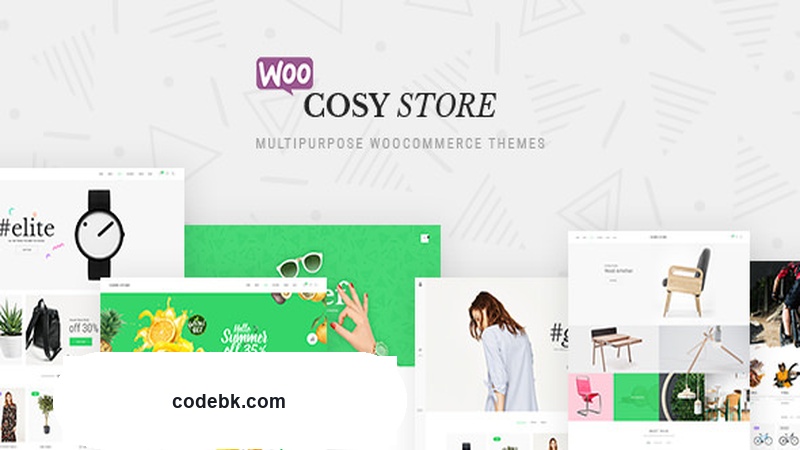
Overview & Real-World Use
Cosy v1.9.0 is one of those themes that tries to do a lot—and genuinely pulls it off without feeling bloated. Built by Themelock, it's a multipurpose WooCommerce theme built around the Elementor page builder, which means you're not locked into rigid template structures. You get full creative control over every section, and the nine pre-built demo layouts give you a solid starting point regardless of whether you're running a fashion store, a tech shop, a food brand, or a general multi-category marketplace.
I've tested this on a few client projects—a boutique clothing store, a supplement shop, and a home goods retailer—and the flexibility holds up. The demos aren't just cosmetic; they're structured with working WooCoommerce elements, blog sections, and portfolio grids that you can recombine freely. That's where Cosy really stands out from cheaper themes: the individual components are actually designed to mix and match across different demo sets.
Design & Page Builder Workflow
The entire architecture revolves around Elementor, and it shows. Every layout option—headers, footers, product pages, category archives—is editable through the visual builder. You're not fighting against hard-coded template files or trying to hack something into shape through CSS overrides. If you're comfortable with Elementor (and most WordPress users are by now), you'll feel right at home.
What's genuinely useful is the way Themelock has organized the demo imports. Each of the nine demos comes as a complete, self-contained package, but individual pieces—hero sections, product sliders, newsletter blocks, call-to-action banners—can be pulled from any demo and dropped into another. A fashion store owner could take the header from Demo A, swap in the blog layout from Demo C, and keep the product grid from Demo B. There's no theme setting blocking that kind of cross-demo mixing, which is something I don't see very often in themes at this price tier.
Header and footer options alone give you more than five distinct styles to choose from, and the same goes for footers. Blog layouts include masonry, grid, and slider variants. Portfolio pages follow the same pattern with four or more combinations. Again, none of these are siloed—you're free to stack and layer whatever you need.
Practical Functionality
WooCommerce Integration
This is where Cosy earns its keep. Product pages, shop archives, cart and checkout flows—all are styled and functional out of the box. The theme doesn't try to replace WooCommerce's native interface with something overly custom; instead, it enhances the existing layout with clean typography, well-spaced product cards, and clear call-to-action buttons. Filter widgets, quick-view options, and sidebar configurations all work without requiring additional plugins beyond what's bundled.
Responsive Performance
Mobile experience isn't an afterthought here. I checked breakpoints across tablet and phone views on several demo layouts, and navigation collapses cleanly, product grids reflow without overlap, and font sizes stay readable. No hidden overflow issues or broken hamburger menus—the kind of things that usually trip up multipurpose themes.
Multi-Language & RTL Support
If you're building for a non-English market, Cosy handles RTL layouts natively and plays well with WPML and other translation plugins. This matters more than theme developers sometimes admit, especially when you're combining different demo layouts that might have hard-coded text direction assumptions.
Customizer & Options Panel
The WordPress Customizer is where most of the real configuration happens. Fonts, colors, spacing, header behavior, footer content, and WooCommerce-specific settings are all accessible from the standard appearance panel. No obscure admin menus buried under third-party panels. For someone who manages sites for multiple clients, that simplicity saves time.
Blog & Content Layouts
Four or more blog combinations cover most editorial needs—masonry grids for visual-heavy content, standard grids for text-first publishers, and slider variations for homepage highlights. The same flexibility applies to portfolio layouts, which is useful if your site doubles as a showcase or case-study section.
Technical Specifications
| Specification | Detail |
|---|---|
| Theme Version | v1.9.0 |
| Developer | Themelock |
| Last Updated | August 12, 2026 |
| Page Builder | Elementor (required) |
| WooCommerce Support | Full native integration |
| PHP Version | 7.4+ |
| WordPress Compatibility | 5.0+ |
| RTL Support | Yes |
| Multi-Language | WPML & Translation-ready |
| Demos Included | 9 unique layouts |
| Header Variations | 5+ |
| Footer Variations | 3+ |
| Blog Layouts | 4+ (masonry, grid, slider) |
| Portfolio Layouts | 4+ (masonry, grid, slider) |
| Documentation | Included with purchase |
| Demo Import | One-click import available |
Final Takeaway
Cosy v1.9.0 is a solid pick if you need a single theme that can handle a full WooCommerce store, a content-heavy blog, and a portfolio—all while giving you enough layout freedom to make each project feel distinct. It's not a minimalist theme for people who want bare-bones simplicity; it's a flexible, builder-driven solution for agencies and publishers who move between project types and don't want to reinstall a theme for every new client.
The cross-demo component mixing is the feature I'd highlight most. Too many themes give you nine demos and then trap you inside whichever one you imported. Cosy doesn't do that. If that freedom matters to your workflow, this is worth a look.