Overview & Real-World Use
I've spent years building sites for law firms and solo practitioners, and I know the brief when it comes up: the design needs to look sharp and credible without feeling stuffy, the pages have to load fast on mobile (clients are often searching from their phones during stressful moments), and the owner shouldn't need a developer to tweak a single page. Canun checks those boxes without unnecessary flash.
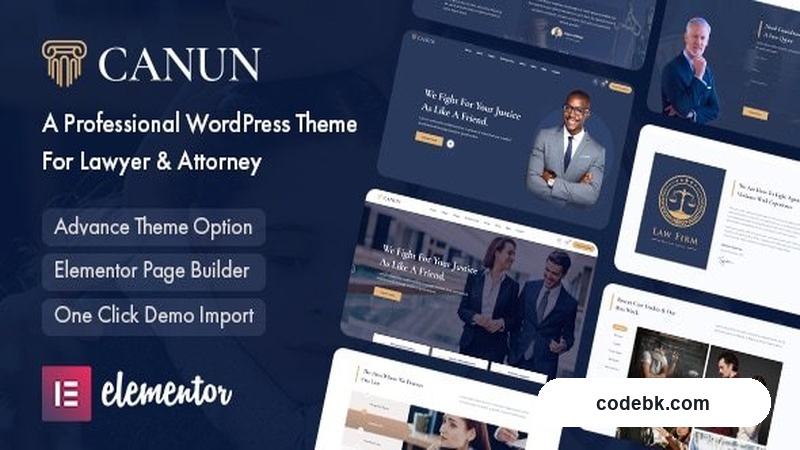
Canun v1.0.8 by Themelock is a purpose-built WordPress theme for legal professionals. It's built around Elementor, which means you're not wrestling with shortcodes or custom PHP templates just to swap out a hero image or edit a practice area description. The aesthetic lands somewhere between traditional legal authority and modern agency polish—clean typography, muted color options, and generous white space that lets your content breathe.
It's well-suited for small-to-mid-size law firms, solo attorneys, and legal consultants who want a professional site up and running in a weekend rather than a month. If you're a large firm juggling dozens of practice areas and international offices, you'll probably outgrow it. But for most solo practitioners and boutique shops, this hits the sweet spot.
Design & Page Builder Workflow
Canun ships with pre-built demo templates that cover the typical lawyer site structure: a strong hero section with a clear call to action, practice area overviews, attorney profiles, testimonials, an FAQ or blog section, and a contact form. These aren't throwaway landing pages—you can import them in one click and then customize anything inside the Elementor canvas.
Elementor is the engine here, and the theme leverages it well. Every section comes with its own custom widgets and style controls, so you're not stuck picking between two rigid layouts. Change the background image on the services block? Done in the panel. Swap the attorney headshot grid for a carousel? Also there. The Theme Options panel gives you global control over colors, typography, and header styles, which means you can rebrand across the whole site without touching individual pages.
The real win is how clean the code looks once you've built something. There's no structural bloat from nested columns or unnecessary wrapper divs. Pages render tight, and that matters when you're trying to pass Core Web Vitals checks.
Practical Functionality
Let's talk about what actually matters day to day.
Responsive performance. I checked Canun across phone, tablet, and desktop views, and the mobile experience is solid. Navigation collapses into a clean hamburger menu, tables stack properly, and text remains readable without forcing pinch-and-zoom. For a law firm site, where many prospective clients will arrive via a phone link from a search result, this isn't optional—it's critical.
Header and footer flexibility. The theme includes a drag-and-drop header and footer builder through Elementor. You can add a phone number, social links, a mini-logo, or a secondary navigation without touching any code. The sticky header option is useful if your practice area sections run long and you want the contact info always visible.
Practice area architecture. Lawyer sites live or die by how clearly they communicate what they do. Canun handles this with dedicated service blocks that let you pair an icon, a title, a short description, and a "Learn More" link. You can stack as many as you need, and the grid adapts fluidly from three columns on desktop down to a single column on mobile. No awkward overflow or cropped cards.
Attorney team pages. Individual lawyer profiles get their own layout treatment—photo, name, title, a bio snippet, and social or contact links. This matters because clients often research the person before booking the consultation. The theme makes it easy to present credentials without relying on a generic WordPress author archive.
Contact and conversion. A clean contact form is front and center, typically placed near the footer or within a dedicated "Get in Touch" section. It integrates with standard WordPress form plugins, so you're not locked into anything proprietary. Add a scheduling plugin if your firm books consultations online, and the site functions as a full intake funnel.
WooCommerce ready. Some legal professionals offer downloadable resources, consultation packages, or informational products. Canun includes basic WooCommerce compatibility, so you can drop in a shop section if needed without breaking the visual identity of the rest of the site.
Multi-language support. The theme is translation-ready and compatible with major WordPress multilingual plugins. If your practice serves a bilingual community—which many do—this saves you from hunting for workarounds later.
Technical Specifications
| Detail | Info |
|---|---|
| Theme Version | 1.0.8 |
| Developer | Themelock |
| WordPress Compatibility | 6.0+ |
| PHP Requirement | 7.4+ |
| Page Builder | Elementor (free or Pro compatible) |
| Bundled Plugins | Elementor, Theme Options Panel, Demo Importer |
| Custom Post Types | Attorneys, Practice Areas, Testimonials |
| WooCommerce Support | Yes (basic) |
| Translation Ready | Yes (WPML & Polylang compatible) |
| Dark Mode | Not included |
| Documentation | Included (demo-based setup guide) |
| License | GPL v3 |
Final Takeaway
Canun v1.0.8 is a straightforward, well-executed theme for lawyers who want to get online quickly without sacrificing professionalism. It doesn't try to be everything—it's focused on the law firm use case and does that job cleanly. The Elementor integration keeps maintenance simple, the mobile experience is honest, and the code doesn't fight you.
If you're a solo attorney or boutique firm looking for a polished site in a few days instead of a few weeks, this is worth your time. Large corporate legal shops will need something more customizable, but for most practitioners, Canun hits the mark.