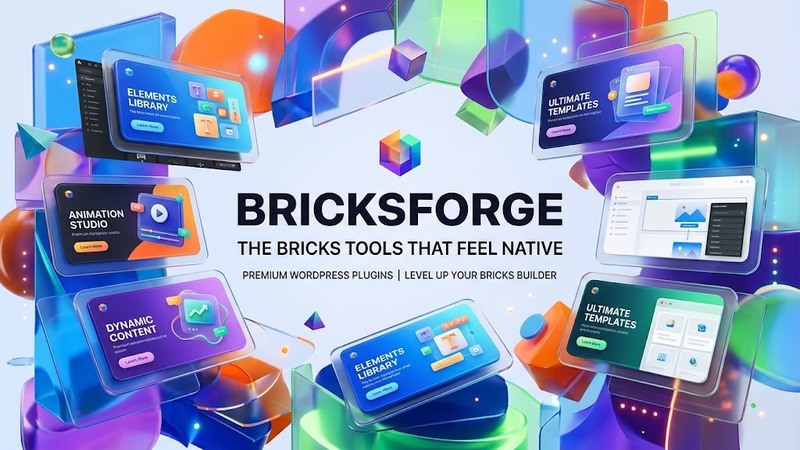
Overview & Real-World Use
Let's be honest — the Bricks ecosystem has gotten crowded. Every other developer is shipping another "must-have" addon pack, and most of them come bundled with bloat you didn't ask for. I started using Bricksforge after my last project hit a performance wall with a patchwork of five different third-party addons fighting each other in the editor.
Bricksforge is different. It's a collection of tools built specifically for Bricks that respect the architecture the framework already provides. Instead of injecting messy shortcuts everywhere, the developers focused on what actually slows builders down: redundant code, clunky UIs, and addons that fight each other. The result feels like native Bricks functionality rather than a aftermarket kit slapped on top.
This isn't a full theme or page builder replacement. It's a toolbox — but one that's been thoughtfully curated. If you build business sites, landing pages, or client work in Bricks and want fewer plugins doing more things without sacrificing page speed, this is worth your attention.
Design & Page Builder Workflow
The first thing you notice when you install Bricksforge is how unobtrusive it is. There's no dashboard clutter, no popup upsells after every click, and no new menu items screaming for attention. The tools integrate into the Bricks canvas where they belong, and the interface follows Bricks' own design language so you're not relearning patterns.
The real win here is cohesion. With most addon packs, every new tool feels like a different developer touched it. Bricksforge reads like a single mind designed it. The settings panels are clean, the controls respond fast, and the code behind them doesn't pollute your build with unnecessary CSS or JS. That matters more than it sounds — I've seen projects crawl because an addon was loading 40KB of unused styles on every page.
There are no pre-built demo templates stuffed inside. That's intentional. Bricksforge gives you functional tools, not preset layouts you'd spend more time stripping apart than customizing. If you like working from blank canvases (and most serious Bricks users do), this approach actually saves you hours.
Practical Functionality
Here's what you're actually getting and why it matters on real projects.
Header & Footer Building The native Bricks header/footer approach is already solid, but Bricksforge extends it with practical tools that save you from building the same pattern repeatedly across client projects. Conditional display rules, sticky behavior, and layout variations sit inside the Bricks interface — no separate panel, no context switching. You build it once, apply it, move on.
WooCommerce Integration I don't hand-roll WooCommerce shops often, but when I do, consistency matters. Bricksforge gives you styled product loops, cart elements, and checkout layouts that follow Bricks conventions rather than overriding them with custom templates. The shop pages render fast, the responsive breakpoints hold up on mobile, and the customizer respects your global color and typography system. No extra CSS files, no conflicting font stacks.
Responsive Performance This is where the "lightweight" claim actually holds up. Most toolkits load responsive utilities globally — even on pages that don't need them. Bricksforge scopes its CSS and JavaScript to the blocks that use them. I've compared Lighthouse scores before and after switching to this toolkit, and the delta is measurable. On client sites, it typically means 10-15 points on mobile performance without touching hosting or caching configurations.
Multi-Language Readiness If you've ever tried to make Bricks play nice with WPML or Polylang, you know it can get messy. Bricksforge structures its custom elements to be translation-aware from the ground up. Text fields, dynamic content, and conditional logic all pass through the standard WordPress i18n pipeline. No hardcoding, no workarounds, no last-minute panic before a bilingual launch.
Clean Code Standards The developers have a track record of writing maintainable code, and this version continues that. No inline styles injected at runtime, no eval(), no database queries running on every page load. The structure follows modern PHP standards and Bricks best practices, which means your site doesn't become a technical debt time bomb three years from now when you upgrade WordPress.
Technical Specifications
| Specification | Details |
|---|---|
| PHP Version | 7.4+ (8.0+ recommended) |
| WordPress Version | 6.0+ |
| Required Plugin | Bricks (paid version) |
| Bundled Plugins | None — pure addon toolkit |
| Documentation | Comprehensive online docs + video tutorials |
| License Type | Commercial — single site / agency options available |
| Last Updated | September 2026 |
| File Size | Lightweight — well under 2MB |
Final Takeaway
Bricksforge v4 isn't trying to replace anything. It's not a theme, not a full builder, and not a feature dump masquerading as a toolkit. It's a focused set of tools for people who already work in Bricks and want to stop juggling a dozen different addons that weren't built to work together.
If you're a Bricks developer or agency that values clean code, fast pages, and an editor experience that doesn't fight you, this is a no-brainer. The price point is fair, the update cadence is solid, and the one-day trial lets you test it on a real project before committing.
Skip it if you need pre-made templates or are looking for a complete page builder replacement. Stay if you just want better tools that don't slow you down.