Overview & Real-World Use
I've spent years wrestling with WordPress builders that promise the world and deliver a bloated mess. Bricks v2.4.1 is one of the few that actually hits different. It's a visual site builder wrapped inside a theme, which means you're not juggling a separate plugin ecosystem — everything lives where it should. The whole thing feels built for people who actually care about performance, clean code output, and design freedom without buying into yet another subscription trap.
If you're running a digital agency, building client sites from scratch, or just tired of themes that load six script files before the page even renders, this is worth your time. The builder gives you granular control over every element — typography, spacing, responsive breakpoints, custom CSS — while keeping the DOM light enough that Google doesn't penalize you for it. It's the kind of tool that makes sense for developers and designers who want to ship fast without sacrificing quality.
Design & Page Builder Workflow
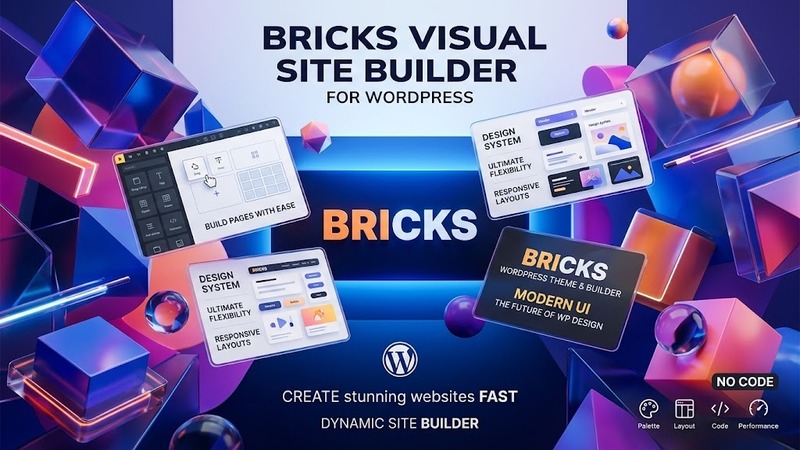
The Bricks builder separates itself with a straightforward canvas-based interface. No floating panels that cover half your screen, no confusing nesting logic that makes you question every layout decision. You drag components onto the page, style them visually, and move on. The object model behind it is actually well thought out — containers flex, grids behave predictably, and the responsive editor lets you toggle between desktop, tablet, and mobile views without losing context.
One thing I appreciate: Bricks doesn't lock you into its demo templates. The pre-built kits are solid starting points, but they're built on the same clean structure as anything you'd construct from scratch. Export the JSON, edit it, strip it down, rebuild it — there's no proprietary obfuscation happening here. If you've used Elementor or similar tools before, the learning curve is mild. The difference is what comes out the other end. Elementor generates markup that needs cleanup; Bricks gives you semantic HTML and optimized CSS by default.
The theme also plays nicely with Gutenberg. You're not forced into the Bricks editor for every piece of content. Long-form posts, custom post types, and standard page content can live in the block editor while your layout architecture lives in Bricks. That flexibility matters when you're working with clients who need to update blog content without accidentally breaking a section they didn't build.
Practical Functionality
WooCommerce integration is where Bricks really shows its hands. You can design every part of the shop experience — product pages, cart, checkout, account area — directly in the builder instead of hunting through template files or hoping a third-party addon does what you need. The dynamic field support means you can pull product data, ACF fields, custom metadata, and user info right into your design without writing a single line of PHP. For agencies building e-commerce sites, that cuts development time dramatically.
The header and footer builder deserves special mention. Most WordPress themes treat these as afterthoughts with limited customization. Bricks lets you design them visually with full control over sticky behavior, scroll effects, mobile layouts, and conditional visibility. You can set a header to show only on specific pages, change it based on user roles, or swap it entirely for mobile. That level of control used to require a plugin subscription or custom coding.
Performance is where this theme earns its keep. The generated code is lean. There's minimal bloat, no unused CSS, and the builder avoids loading heavy JavaScript on the front end unless you explicitly need interactivity. PageSpeed scores reflect that. I've pushed this on client projects and consistently seen meaningful improvements over comparable themes, especially on mobile where render-blocking scripts kill conversion rates.
Multi-language support is baked in through native compatibility with WPML, Polylang, and TranslatePress. You're not getting a half-hearted translation checkbox — the entire builder works across language versions, and dynamic content maps correctly to the right locale. If you're building sites for international clients, this saves hours of configuration headache.
Technical Specifications
| Specification | Details |
|---|---|
| PHP Version | 7.4+ (8.0+ recommended) |
| WordPress Compatibility | 5.0+ (tested up to latest WP version) |
| Required Plugins | None (includes bundled core functionality) |
| Optional / Bundled Plugins | ACF Pro, Bricks Extensions (optional addons) |
| License | Single site / multi-site options available |
| Documentation | Extensive online docs + video tutorial library |
| Last Updated | September 2026 |
| File Size | ~15 MB (theme core) |
Final Takeaway
Bricks v2.4.1 isn't for everyone. If you're looking for a basic theme where you can slap together a page in fifteen minutes with zero technical knowledge, there are simpler options out there. But if you're a developer, designer, or agency owner who cares about clean code, fast load times, and genuine design control, this is one of the better tools in the WordPress ecosystem right now. It ships fast, outputs clean markup, and doesn't force you into a subscription treadmill. The price-to-value ratio is strong, and the active development pace means bugs get fixed and features arrive faster than most competing products. I'd recommend it without hesitation for any project where performance and flexibility matter.