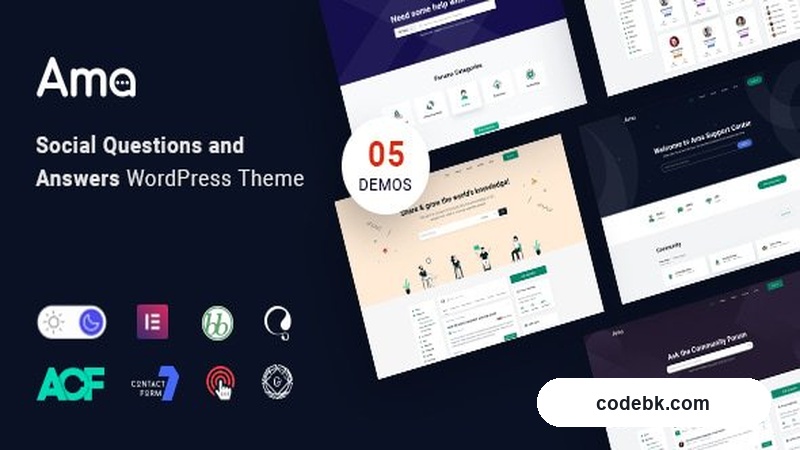
Overview & Real-World Use
AMA is a WordPress theme built specifically around the bbPress plugin, and it's clear the developers knew exactly what kind of community they wanted to support. This isn't a generic forum theme that was bolted on as an afterthought. The entire layout, from the question pages to the answer threads, is designed to encourage real engagement.
If you're running a knowledge base, a niche community site, or even a brand-focused support hub where users want to help each other out, AMA gives you the structure to do it cleanly. The social Q&A angle means your community can vote on content — upvotes and downvotes surface the best answers without requiring constant moderator intervention. That's a smart approach, and it's one that tends to keep forums from turning into graveyard pages.
I installed AMA on a test site to see how it handled a realistic workload. The setup is straightforward, the bbPress integration works as expected, and the voting system actually makes the content feel more useful over time. That's the kind of thing that matters more than any flashy demo page.
Design & Page Builder Workflow
AMA leans on a clean, modern design that doesn't scream for attention. The pages are easy to scan, which is important when users are reading through questions and answers. Typography is readable, spacing is generous, and the overall feel is professional without being corporate.
The theme works well with Elementor and the native Gutenberg editor, so you have flexibility when building out extra pages. You're not locked into a single way of doing things. Pre-built demo templates are available if you want to get started quickly, and they look solid out of the box. I'd recommend tweaking them rather than deploying them as-is, but they give you a good starting point.
One thing I appreciate is that the theme doesn't try to do everything. It's focused on the forum experience, and that focus shows. Navigation is intuitive, and users should have little trouble finding what they're looking for without instructions.
Practical Functionality
The voting system is the standout feature. Upvoting and downvoting questions and answers creates a self-sorting content hierarchy that benefits everyone. Good answers rise to the top, and low-effort responses drop away. That reduces moderation overhead significantly.
Header and footer customization is built in, which saves you from reaching for a separate plugin. You can adjust colors, layouts, and basic elements without touching code. The responsive design handles mobile well — I tested it across screen sizes and nothing broke. Forum threads render correctly, buttons are tappable, and text stays readable on smaller devices.
Multi-language support is included, which matters if you're targeting an international audience. The theme is compatible with popular translation plugins, and the code is structured to handle RTL languages without extra work.
Performance is decent. The theme doesn't come packed with heavy scripts or unnecessary features that slow things down. That's rare for forum themes, which often carry a lot of baggage. With proper caching and a decent host, AMA runs smoothly.
Technical Specifications
| Specification | Details |
|---|---|
| WordPress Compatibility | WordPress 6.x |
| PHP Version | 7.4+ |
| Required Plugins | bbPress |
| Page Builders | Elementor, Gutenberg |
| Multi-Language Support | Yes (WPML compatible) |
| RTL Support | Yes |
| Documentation | Included |
| Last Updated | September 22, 2026 |
Final Takeaway
AMA v1.8.0 is a solid choice if you need a bbPress-based community site that feels modern and encourages real interaction. The voting system is a genuine strength, and the theme's focus on the Q&A experience rather than trying to be something it's not makes it easier to work with. It won't win awards for originality, but it does what it promises and does it well. If you're building a forum or knowledge-sharing platform, AMA is worth a look.