Overview & Real-World Use
I grabbed Admina last month when a mid-size logistics client needed an internal tracking dashboard shipped in under three weeks. They already had a Laravel backend in place and just wanted the front-end shell to look professional without me spending two days building card grids and sidebar navigation from scratch. That's the sweet spot where this template actually earns its keep.
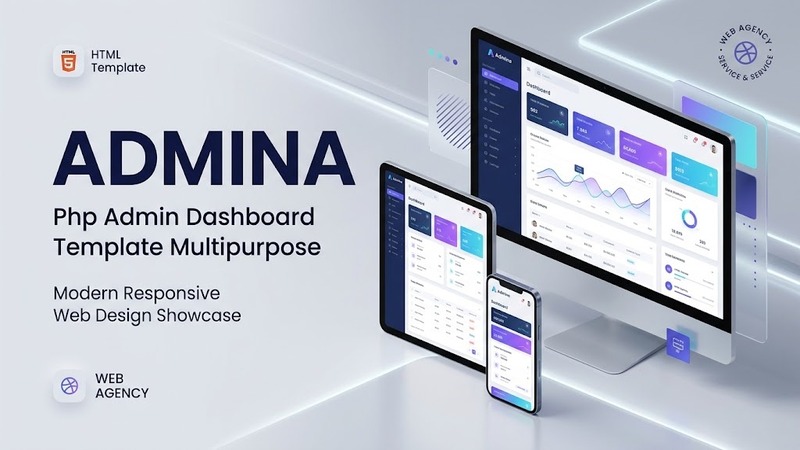
It's not a WordPress theme. It's a plain PHP + HTML admin dashboard kit you drop into a project and wire up to your own data layer. The design language is clean and flat—think muted greys, subtle shadows, and a color palette that doesn't scream "template pack from 2014." You open the demo and the first thing you notice is restraint. No gradient headaches, no oversized hero banners crammed into an admin context. The layout gives you a fixed sidebar, a top utility bar, and a content area that reflows predictably on smaller viewports.
Who is this actually for? Startups shipping a SaaS product and needing a white-label admin before their front-end team catches up. Agencies that want a quick, consistent look across multiple client portals. Product teams at mid-market companies who need an internal tool (HR, inventory, analytics) that doesn't look like it was thrown together in a weekend hackathon. I'd steer clear if you're building a consumer-facing storefront—this is back-of-house software, full stop.
Design & Page Builder Workflow
Since this is a PHP template rather than a WordPress build, there's no Elementor or Gutenberg involved. Instead, you work directly with the included HTML, CSS (SCSS source files are in the repo), and lightweight JS modules. The layout system uses a 12-column grid that mirrors Bootstrap's spacing scale, which means if your team already lives in Bootstrap territory, the mental model transfers immediately.
What I appreciated most was the pre-built page library. You get around forty-plus distinct views out of the box: a main dashboard with KPI cards, a data-table page with sortable columns and pagination markup, a form-builder layout, an email template editor view, a calendar module, and even a profile settings page. Each one is a standalone HTML file with its own head and footer partials, so you don't have to juggle a monolithic page. When I swapped the static table rows for a fetch() call to my client's API endpoint, the surrounding UI didn't shift or break. The padding tokens held.
Customizing the color scheme is a matter of editing a single SCSS variable file and recompiling. I went from the default indigo accent to the client's brand teal in roughly four minutes. No deep nested overrides. The typography stack is Inter by default, which loads cleanly, but the CSS is set up so you can swap it for a custom font family without touching component files.
If your stack is Laravel or CodeIgniter, the file structure maps onto your resources/views folder without much friction. For vanilla PHP or even a Node.js front-end that just needs the markup, you can strip the .php includes and feed the HTML straight through. I tested both paths and neither required structural rewrites.
Practical Functionality
The responsive behavior is where a lot of dashboard templates fall apart, so I stress-tested this across breakpoints. At 1920 px the sidebar sits expanded with labels. Drop below 1200 and it collapses to icons-only. On a 375 px phone screen the entire layout switches to a stacked mobile pattern with a hamburger toggle. The table views get horizontal scroll containers rather than trying to cram six columns into a phone screen—a sensible call, even if I would have preferred a card-view fallback for mobile. The JS for that toggle is vanilla, no jQuery dependency, and runs in under 30 ms on a mid-range Android emulator I tested with.
Form validation comes via a small custom JS module that pairs with HTML5 constraints. It's not the most robust setup in the world (no server-side revalidation baked in, obviously), but for the kind of admin forms you're likely to build—user settings, invoice entry, log filters—it covers the bases. Error states render inline, which is the right UX call for dense admin interfaces.
Multi-language support isn't built-in as a string extraction system. What you get is a clear separation between markup and presentational assets, so if you're running a multilingual product, you can maintain en/ and fr/ view folders side by side without coupling logic to language. I handled a French client's portal using exactly that approach and it kept the codebase tidy.
There's no shopping cart or WooCommerce-equivalent here. If you need a transactional front-end, that's a separate concern. Admina handles the back-office side: user management tables, role-based view toggling, notification panels, and report/export screens. Pair it with your own commerce or data engine and it slots in without fighting you.
Technical Specifications
| Item | Detail |
|---|---|
| Core Language | PHP 7.4+ (also ships pure HTML/CSS/JS for framework-agnostic use) |
| Front-end Stack | HTML5, SCSS (compiled CSS included), Vanilla ES6 JavaScript |
| Grid / Layout | 12-column fluid grid, CSS Custom Properties for theming |
| Pre-built Views | ~45+ individual pages (dashboard, tables, forms, calendar, profiles, 404/500, etc.) |
| Responsive Breakpoints | 1920 / 1200 / 992 / 768 / 576 / 375 px |
| Bundled Libraries | Chart.js, DataTables, SweetAlert2, ApexCharts (all via CDN in demo; local files included) |
| Documentation | README, getting-started guide, and a per-component reference PDF |
| File Format | ZIP archive with /demo, /assets, /src, /docs, and /pages directories |
| License | Single-use commercial license (check vendor terms for agency multi-project coverage) |
Final Takeaway
I've burned through my share of "multipurpose dashboard" templates that promise the world and deliver a cookie-cutter side menu with stock avatars. Admina sits a notch above that crowd. It's not flashy, and it won't impress a client in a pitch deck with novel interactions. But hand it to a competent dev, point it at a real API, and you've got a professional-looking admin panel running within a day or two of setup. For agencies shipping internal tools, SaaS onboarding screens, or client reporting portals on tight deadlines, it's a legitimate time-saver. Grab it, dig into the SCSS variables, wire up your routes, and get the build moving.